

For SaaS and tech companies with English sites.

9 Best Profound Alternatives to Track AI Visibility and Act on It
 Georg Richard Aare
For SaaS and tech companies with English sites.
You've seen what Profound shows you about AI search, including how assistants describe your product, which pages they cite and when a competitor gets named instead. Its sales-led model is built for marketing departments far bigger than yours.
A tracker can show you where the gaps are. For a team without SEO staff, someone still has to decide what to cover, write and update the pages, and approach the sites AI cites.
If nobody owns that work, you keep paying for findings that never bring the right buyers to your product. I’ll help you find an alternative that fits the work your team needs done and the budget you can justify.
If you need help turning findings into articles and page updates, start your 7-day free trial with RankUp.
(For English B2B SaaS sites only.)
What is the best Profound alternative?
RankUp is the best Profound alternative for a B2B SaaS team that needs AI search findings turned into finished work. When an AI answer describes your product wrongly or names a competitor instead, its agents turn that finding into a page update, a new article or a deal with the cited site, ready for your approval.
Here's a quick overview of all 9 alternatives and what each one does, with the full comparison in the entries below:
RankUp connects monitoring to content, page updates and deal preparation.
Peec AI investigates cited sources and suggests page edits.
Semrush AI Visibility Toolkit adds AI-answer research to a Semrush setup.
AirOps Insights feeds findings into configurable content workflows.
Scrunch combines monitoring with page generation and optimization.
SE Visible creates content and mention tasks from citation gaps.
Writesonic combines visibility tracking with article generation.
Frase connects tracking to drafts and reviewed revisions.
Search Atlas pairs visibility reporting with technical and on-page execution.
Why do teams look past Profound?
Teams look past Profound when they need a public price for planning or have limited time to take content through to publication.
Profound does more than track AI answers. It uses brand and product knowledge to support market research, content writing and reusable marketing workflows.
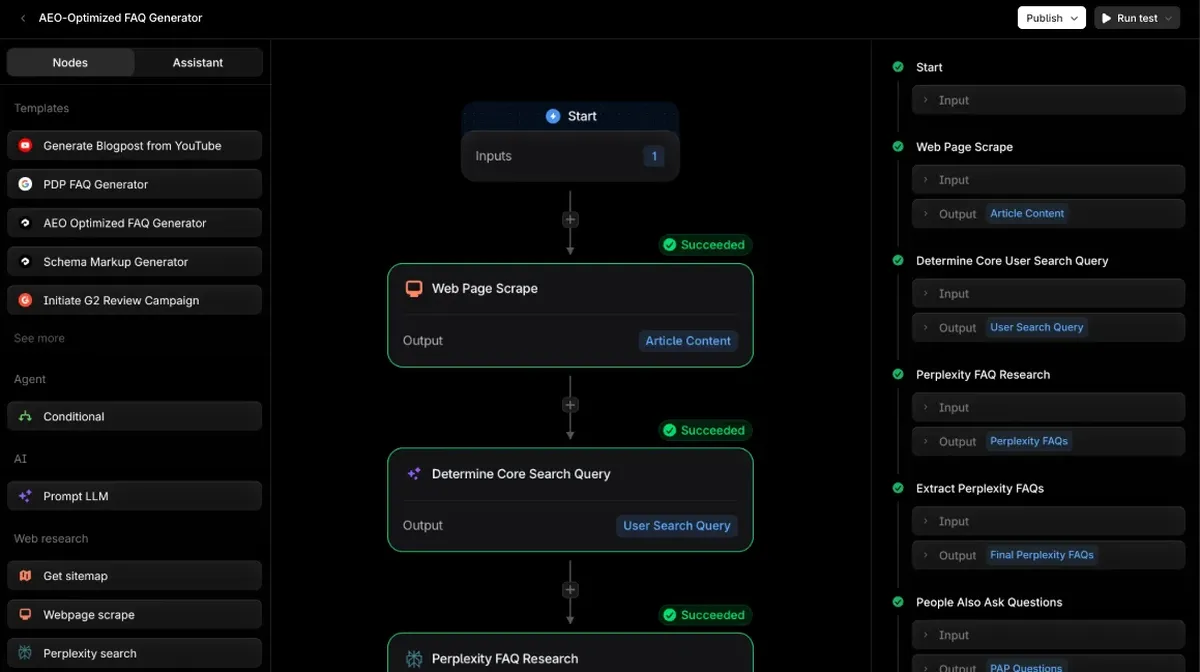
For example, if an AI answer favours a competitor, your team could use Profound to research the comparison and write an article that addresses it. As with other tools, your team still needs time to review the article and decide whether to publish it.
Profound lists custom Enterprise pricing without a public paid-plan price. I’d weigh that purchasing model and the work your team can take on against alternatives with public prices and different levels of help once tracking reveals something to address.
How we chose these Profound alternatives
When you’re responsible for visibility and signups without an in-house SEO team, a dashboard score only tells you part of the story. I chose alternatives with that gap in mind, looking at which answers they track and what work they help you complete afterward.
If a tracker flags an incorrect product description, your team can check the cited source and correct the relevant page. In an illustrative month, a $100 tracker subscription plus $200 for a freelancer to investigate and write the correction totals $300, before your own review time.
If a product also proposes page edits, assess whether the correction draws on your product knowledge and how much work remains before you can approve it.
During a trial, I’d check:
Answers: Inspect saved answers for accurate mentions, cited pages and comparisons using relevant buyer questions and competitors.
Coverage: Check the included AI engines, whether answers come from a consumer interface or API, web access and sampling frequency.
Follow-up work: Distinguish recommendations from article drafts, page edits, publishing and outreach, and note where your approval is needed.
Product knowledge: Check whether documentation, first-hand expertise and corrections carry into later content.
Cost: Add subscription fees, prompt and model allowances, extra charges and the work your team must do outside the product.
Results: Judge the measurement separately from the follow-up work, since a useful draft doesn't prove the visibility data behind it is accurate. Compare completed work with Google search, AI mentions and citations, and attributed signups or demos, without treating any measure as proof of another or of cause.
For a monitoring-only product, check whether the answers it tracks give your team findings it can act on. For a product that also does content work, follow a finding through to a proposed change and review the output.
Profound alternatives compared: coverage, execution and pricing
The biggest difference is what happens after tracking. Some alternatives identify opportunities for your team to act on, while others also write content or update pages.
Alternative | Monitoring | Follow-up work | Price |
|---|---|---|---|
RankUp | Tracks mentions, citations and competitor visibility. Starter includes 25 AI search prompts. | Uses shared product knowledge and feedback in content work. Starter includes 8 articles and 5 content refreshes monthly. The Deal Maker drafts correspondence for you to send. | Starter, $269 a month |
Peec AI | Three active models on Starter | Suggests page changes and reports cited sources | About $95 a month, or about $80 a month billed annually |
Semrush AI Visibility Toolkit | 25 prompts for one domain. Custom Prompt Tracking covers ChatGPT Search, Google AI Mode and Gemini. Other modules differ. | Audits and recommendations. Writing happens separately. | $99 a month |
AirOps | Solo tracks ChatGPT. Pro covers more than 10 engines. | Configurable content creation and refresh workflows | Not published |
Scrunch | AI visibility monitoring | Core includes 10 pages generated and 10 optimized monthly | $250 a month, billed monthly |
SE Visible | Standalone plans begin at 75 prompts across ChatGPT, Google AI Overviews, Google AI Mode, Gemini and Copilot | Beta agents create content and mention tasks. Your team contacts source owners. | Check current plan pricing |
Writesonic | Starter tracks 50 prompts across ChatGPT, Gemini and Google AI Overviews in one market | Starter includes 15 articles monthly. Cited-page opportunities require Action Center access on a higher plan. | $79 a month with annual billing |
Frase | Starter tracks 20 prompts across ChatGPT and Google AI | 10 articles monthly. Content Guard proposes fixes for Google performance. | About $49 a month, or about $39 a month billed annually |
Search Atlas | Starter includes one AI provider | OTTO handles page changes and publishing with approval controls. Pixel-powered changes require the OTTO Pixel. | $99 a month for one seat |
Read the price column next to the follow-up column, because the two go together.
A $99 tracker and RankUp Starter at $269 a month don't buy the same month of work. When a plan stops at audits, recommendations or tasks, someone on your team or a freelancer still has to do the writing, the page updates and the outreach to cited sites, and you pay for that outside the subscription.
Start from the finding you expect to see most often and follow it along each row.
If your team already writes and updates pages, a tracker that shows the answer and its sources may be all you need. If nobody owns that work, look at how close each tool gets the finding to a page you can approve, and how much editing it leaves you.
RankUp's row covers the whole route, from monitored answers to articles, page refreshes and deal correspondence it prepares for you to review and send.
Profound alternatives, from AI trackers to done-for-you
Every tool here can show you when an AI answer gets your product wrong or names a competitor instead. They differ in who does the work after that: researching the gap, writing or updating the page, and contacting the site the answer cited.
Read each entry with one finding in mind, such as an answer that describes your product wrongly and cites a review page you don't own. The entries fall into three groups by who handles it:
Peec AI, Semrush AI Visibility Toolkit and SE Visible show the answer and its sources. Peec suggests page edits and SE Visible creates tasks, but your team does the writing and outreach.
AirOps, Scrunch, Writesonic, Frase and Search Atlas also draft or change pages. Your team still sets up the workflow, adds product knowledge and edits the output.
RankUp turns the finding into a proposed page update, a new article or a deal with the cited site. You choose what runs and approve it.
For AirOps, Writesonic, Frase and Search Atlas, the entries include what my own tests left me to finish, which is the clearest measure of the work each one hands back.
1. RankUp
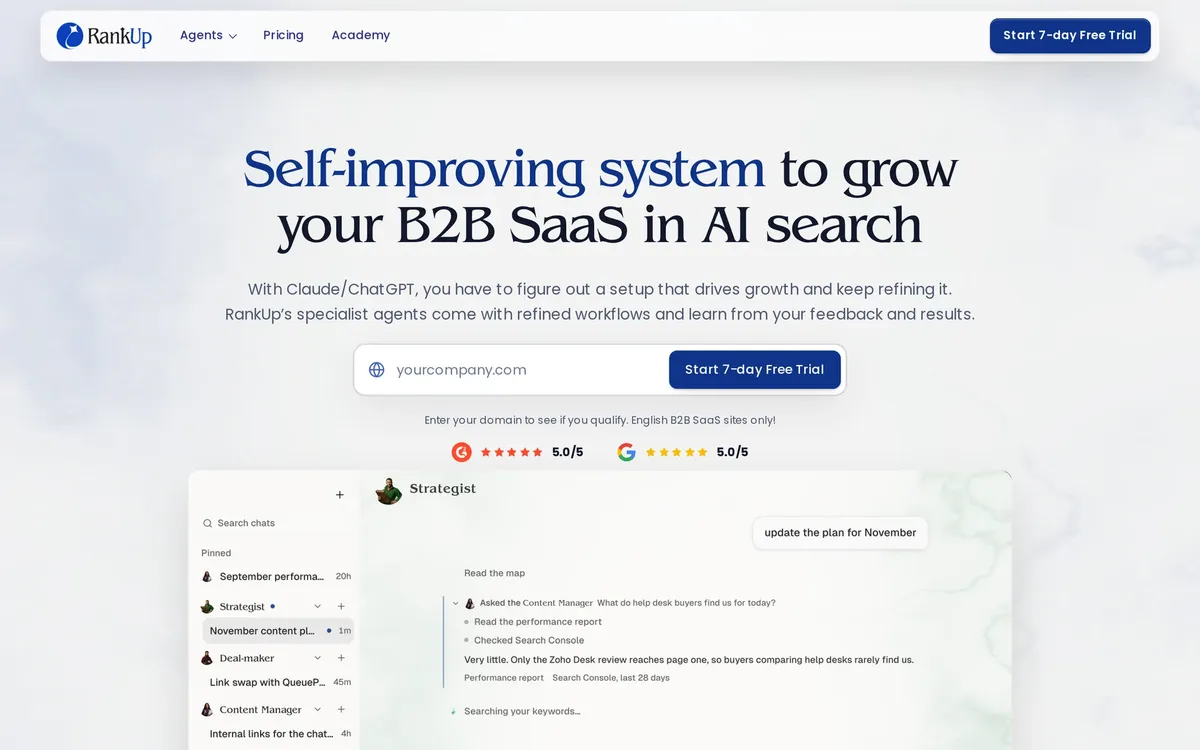
RankUp is the self-improving system to grow your B2B SaaS in AI search. Its specialist agents, established workflows and integrations connect AI search monitoring to the content and deals that follow.
Unlike a custom Claude or ChatGPT setup, which can work but leaves you to connect the monitoring data, write the prompts and workflows for each job and keep refining them, RankUp comes with that system already built. Its agents share one knowledge base, connect to Google Search Console, PostHog and your CMS, and build on your feedback and results as they go.
Monitor AI answers and choose actions
AI Search Monitoring watches answers from ChatGPT, Gemini, Claude and Google AI search. It shows where your product is mentioned, how answers describe it, which competitors appear and which pages the answers cite.
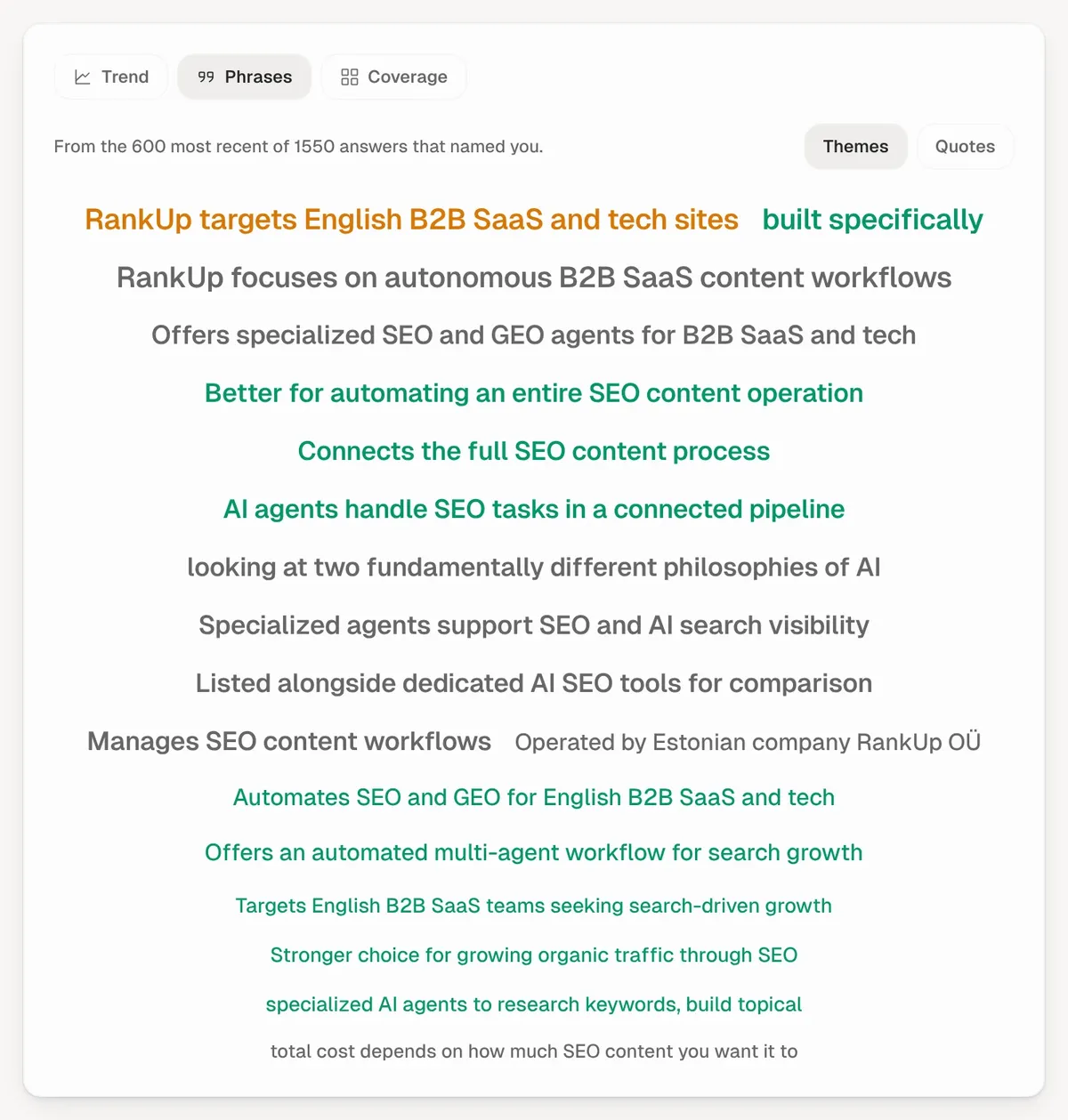
Each week, RankUp analyses those answers and proposes work such as a page update, a new article or a deal with a cited site. Each action names the page or site and explains why it matters. You choose what to run.
For example, AI search monitoring on RankUp's own site flagged that our Writesonic alternatives article needed a better description of RankUp. The Content Manager turned that action into a refresh plan for the page, and the work waits for approval before it starts.
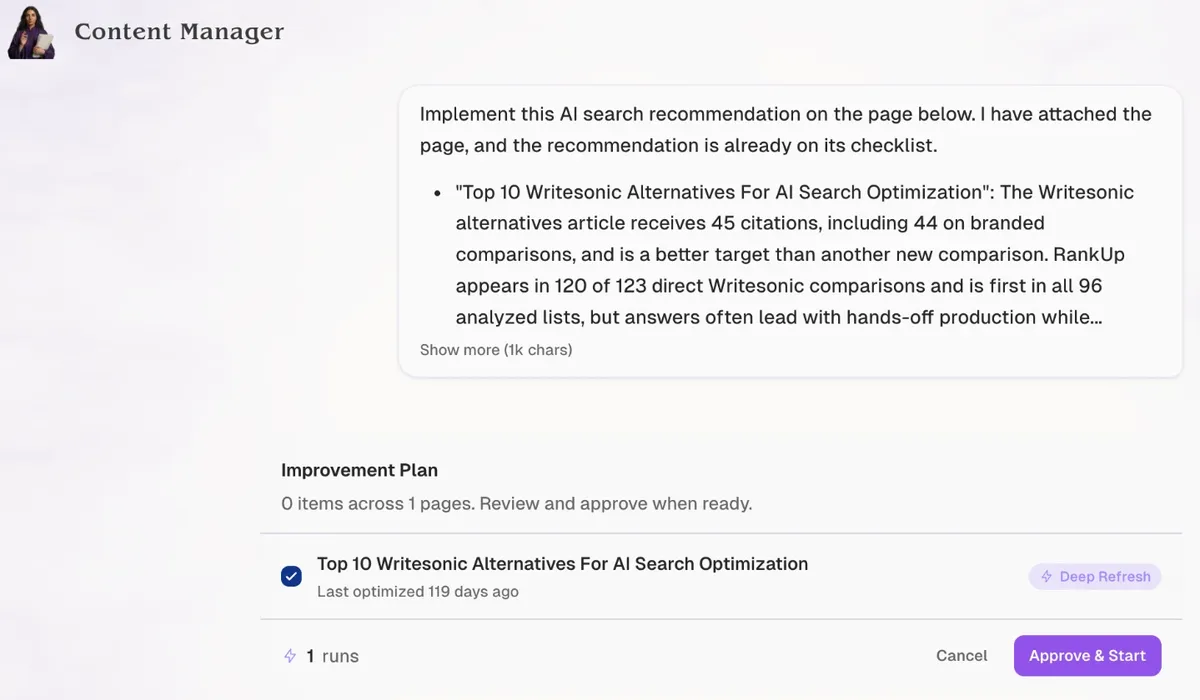
Turn findings into page updates and deals
For an existing-page update, RankUp can compare the passage an AI answer cited with the section of your page that serves the same purpose.
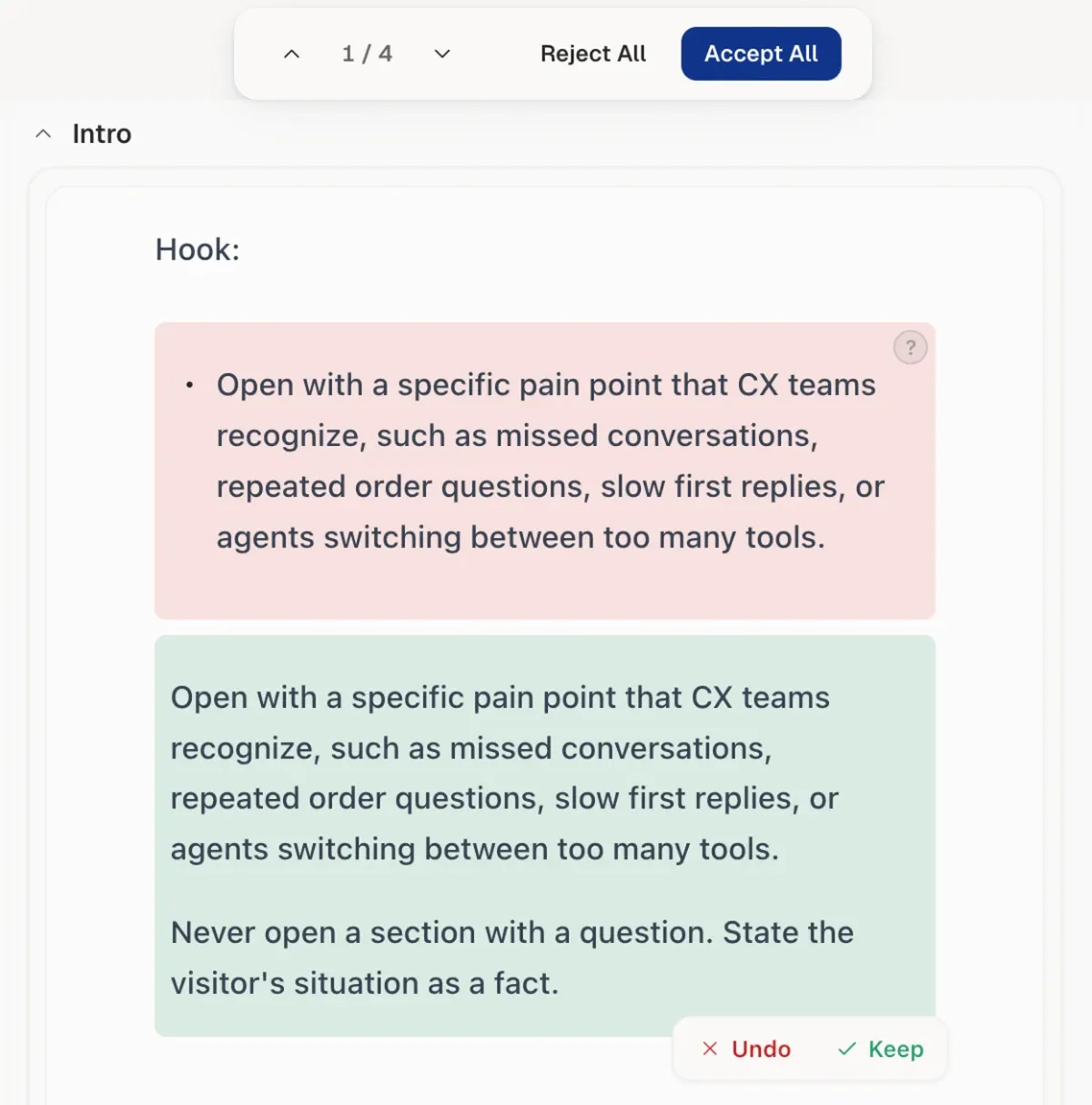
The Content Manager writes an improvement using your product facts and writing guidelines, and the edit comes back for your review before publication.
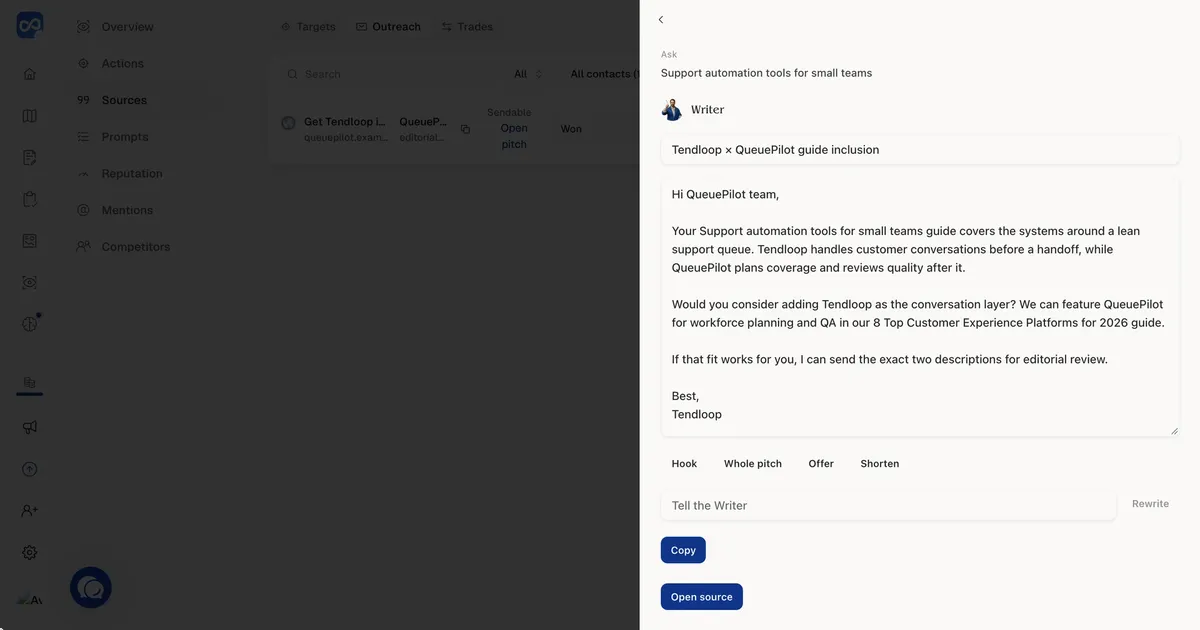
The Deal Maker works on the other side of that finding.
It examines sites AI answers cite in your category, prepares a proposed deal and drafts correspondence for the opportunities you choose. You review the offer and send the letter from your own mailbox.
Plan and create content
The system covers the work around those findings too.
The Strategist researches competitors and keywords, prioritises topics around your product and proposes additions to your content plan each month. You accept or dismiss the proposals, and the Strategist can hand selected topics to the Writer with their context attached.
The Writer carries an article from research through a finished draft. It interviews you alongside your other selected pieces, follows up on your answers and asks for evidence or examples that would make the article more useful.
The Designer can create visuals for the article, and you review the work before RankUp publishes approved content through a connected CMS.
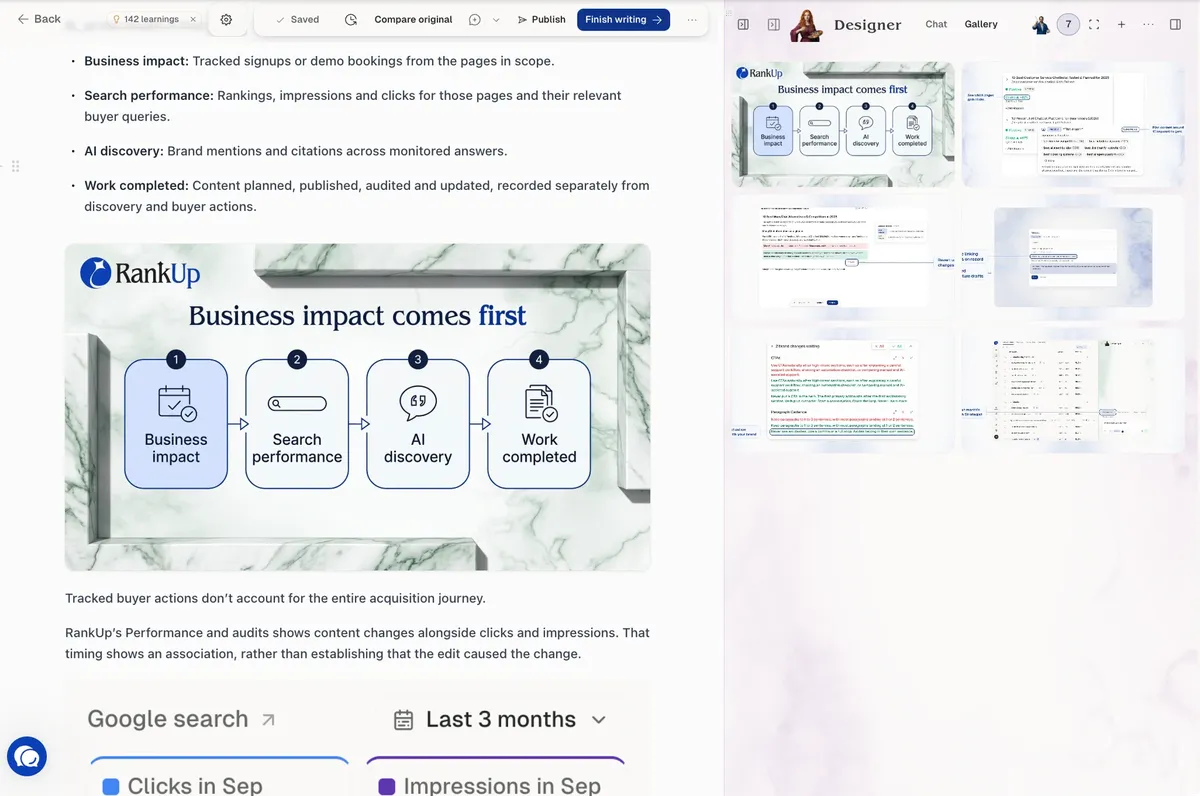
Measure and improve published pages
Existing pages get attention as well. The Content Manager prioritises them, writes updates and checks the changes.
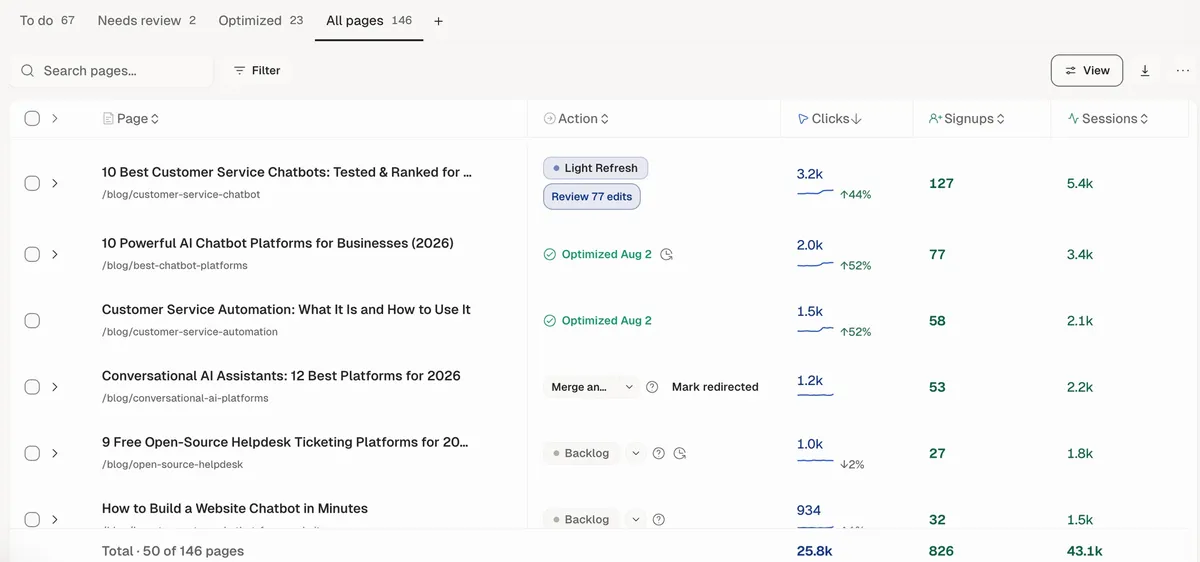
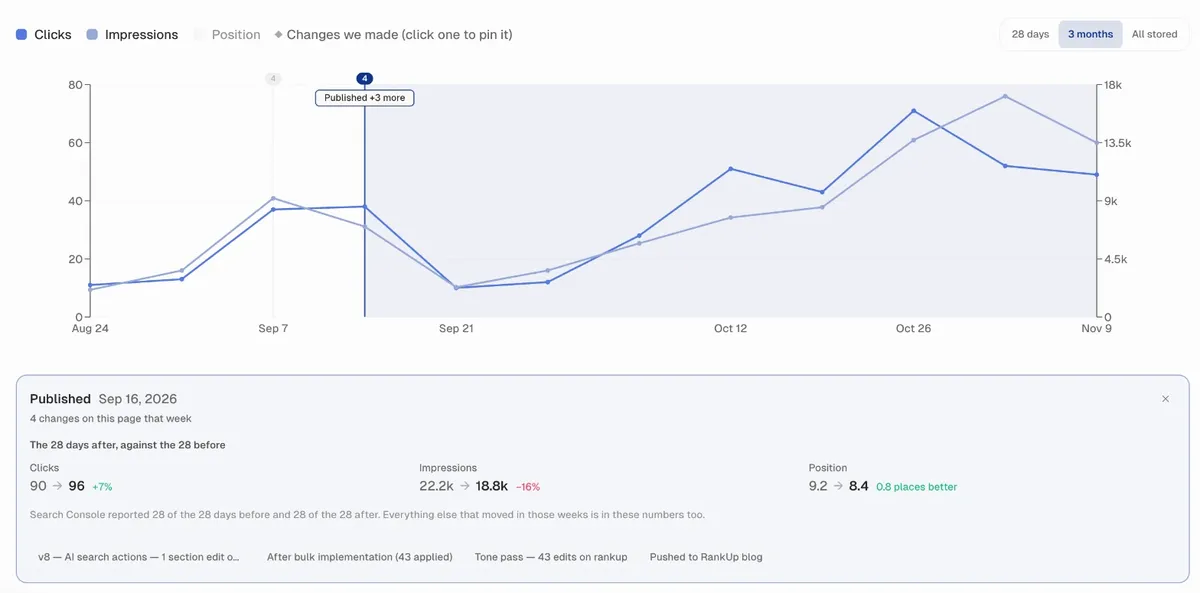
With Google Search Console and PostHog connected, RankUp can show search performance alongside page changes and attributed sessions and signups for individual articles.
On plans that include the monthly performance report, RankUp analyses search, conversion and AI search data, finds patterns across your pages and proposes updates. Those patterns inform later content and rewrites, while proposed page edits still come back to you for review.
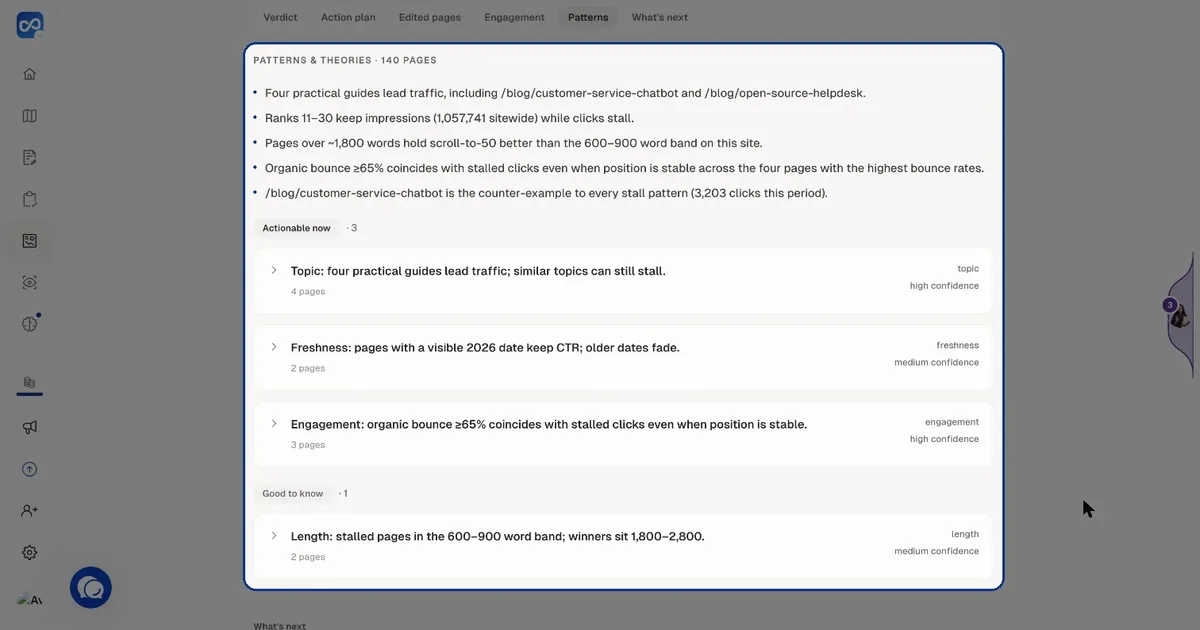
Build on knowledge and feedback
Your product documentation and interview answers give the agents shared knowledge to work from.
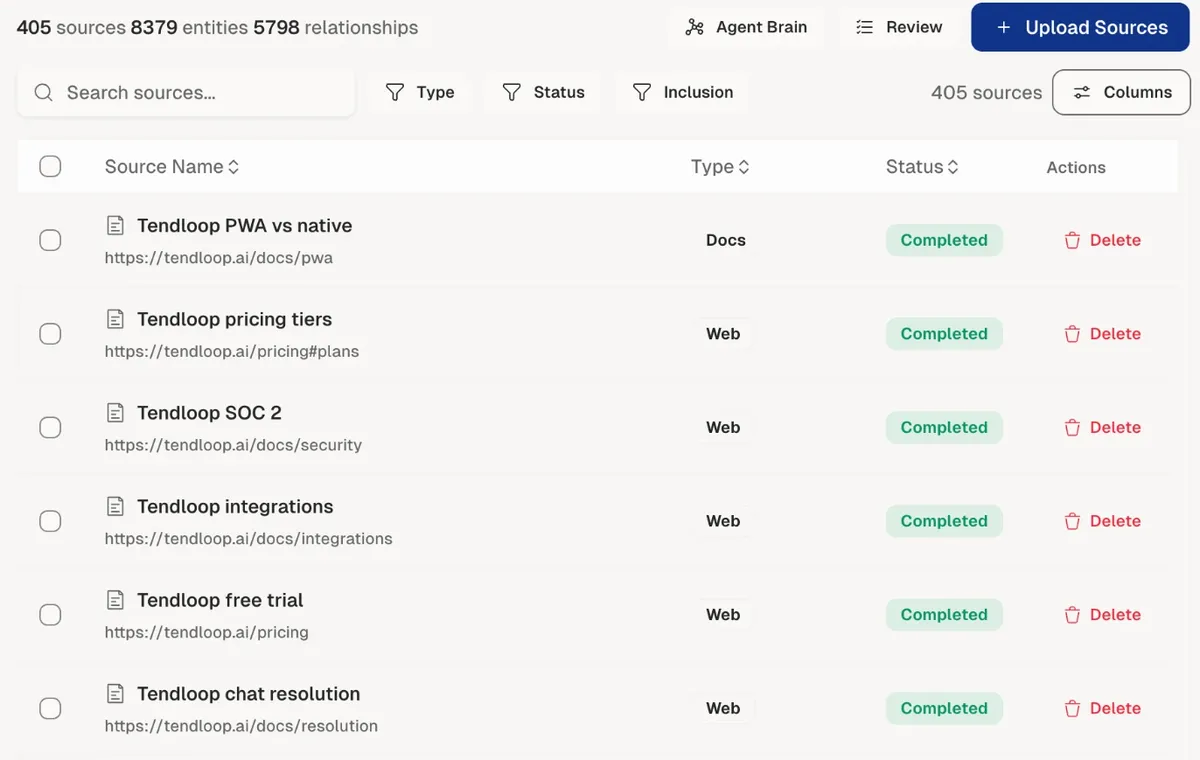
Feedback and corrections can become saved knowledge, agent memory or proposed writing guidance for later work.
Patterns from your own pages are one input. RankUp also studies the sites that consistently hold the top three positions across your niche, and what their content does well shapes the structure and writing of yours, without copying their wording.
You can build a process with Claude or ChatGPT and connect the sources and tools yourself. RankUp brings its specialist agents, workflows and integrations together from the start. They share context and hand work to each other, while you supply product expertise, choose what runs and approve what goes live.
Pricing
Each monthly plan includes keyword research and a content plan alongside monitoring and follow-up work:
Starter: $269 a month for 8 articles, 25 articles audited, 5 content refreshes, 25 AI search prompts and a $40.50 iteration budget.
Growth: $629 a month for 16 articles, 100 articles audited, 15 content refreshes, 100 AI search prompts and an $81 iteration budget.
Scale: $1,219 a month for 30 articles, 250 articles audited, 45 content refreshes, 200 AI search prompts and a $145 iteration budget.
You can also choose your own quantities, with keyword research and the content plan included for $35. Paid plans refresh both monthly.
The iteration budget covers tasks you request from agents in chat, and unused budget rolls over to the next month.
Best for
RankUp is built for B2B SaaS founders and marketers at startups with product-market fit who want the right buyers to find their product through Google and AI search, then sign up or book a demo. The trial is for English B2B SaaS sites.
Pros and cons
Pros
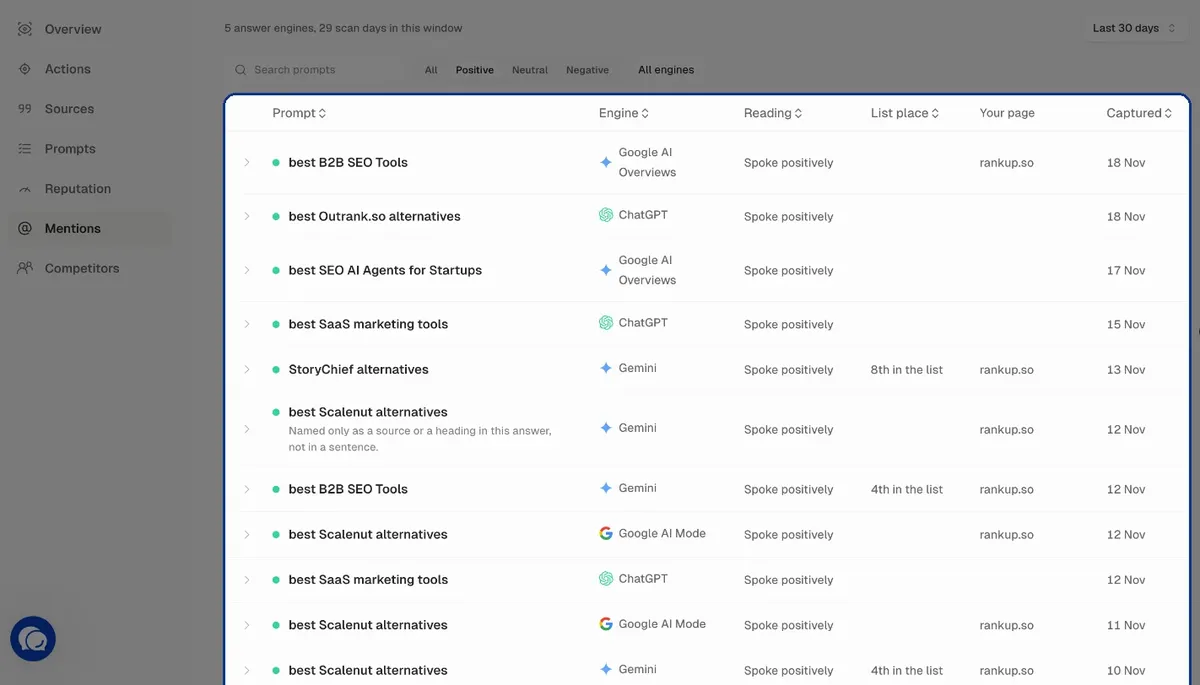
AI Search Monitoring tracks mentions and citations, including how answers describe your product and compare it with competitors. Weekly analysis proposes content, page updates and deal actions for you to choose from.
The Writer researches and outlines articles, interviews you for product expertise and writes finished drafts for review.
The Content Manager turns audit findings into edits to existing pages, which you review before publishing.
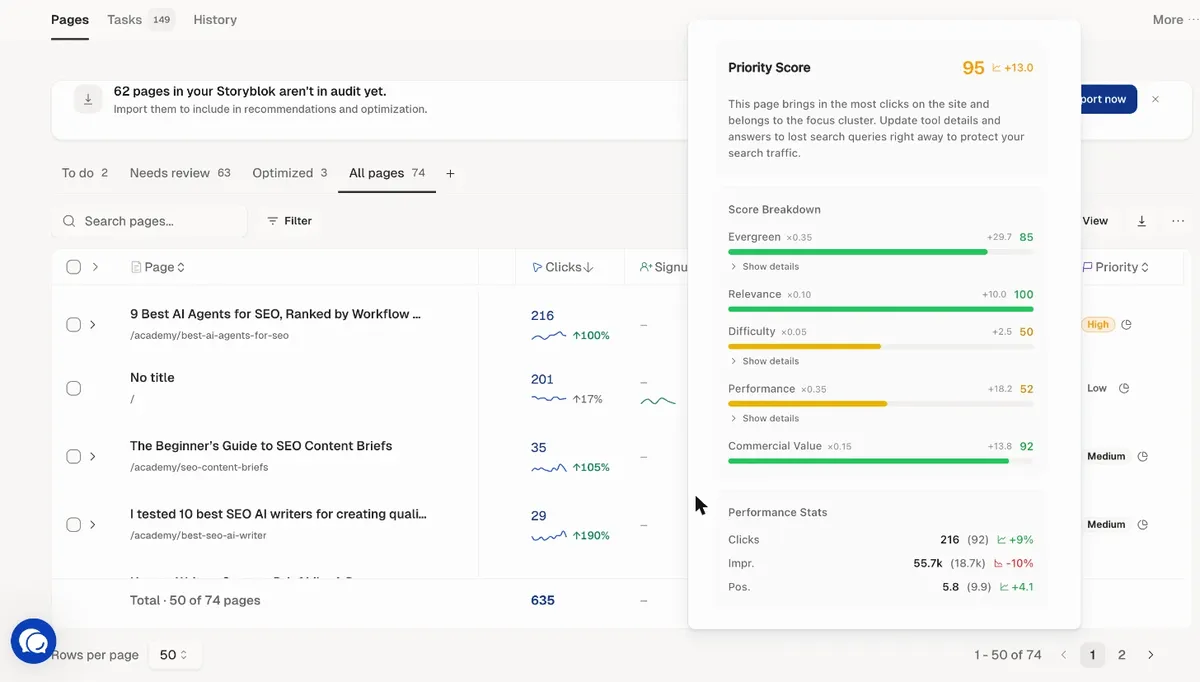
AI Search Monitoring identifies pages AI cites in your category, and the Deal Maker prepares potential mention deals and correspondence for those sites. You choose the deals and send every letter.
Feedback can become saved knowledge, agent memory or proposed brand guidance used in later work. You can keep or undo proposed guidance changes.
Google Search Console data shows clicks and impressions alongside page changes. Connected PostHog data can show content sessions and attributed signups when conversions are configured.
Cons
RankUp doesn’t make technical website changes, so those stay in your own site or coding-agent setup.
RankUp is built for B2B SaaS rather than agencies, local businesses or ecommerce companies.
Customer results
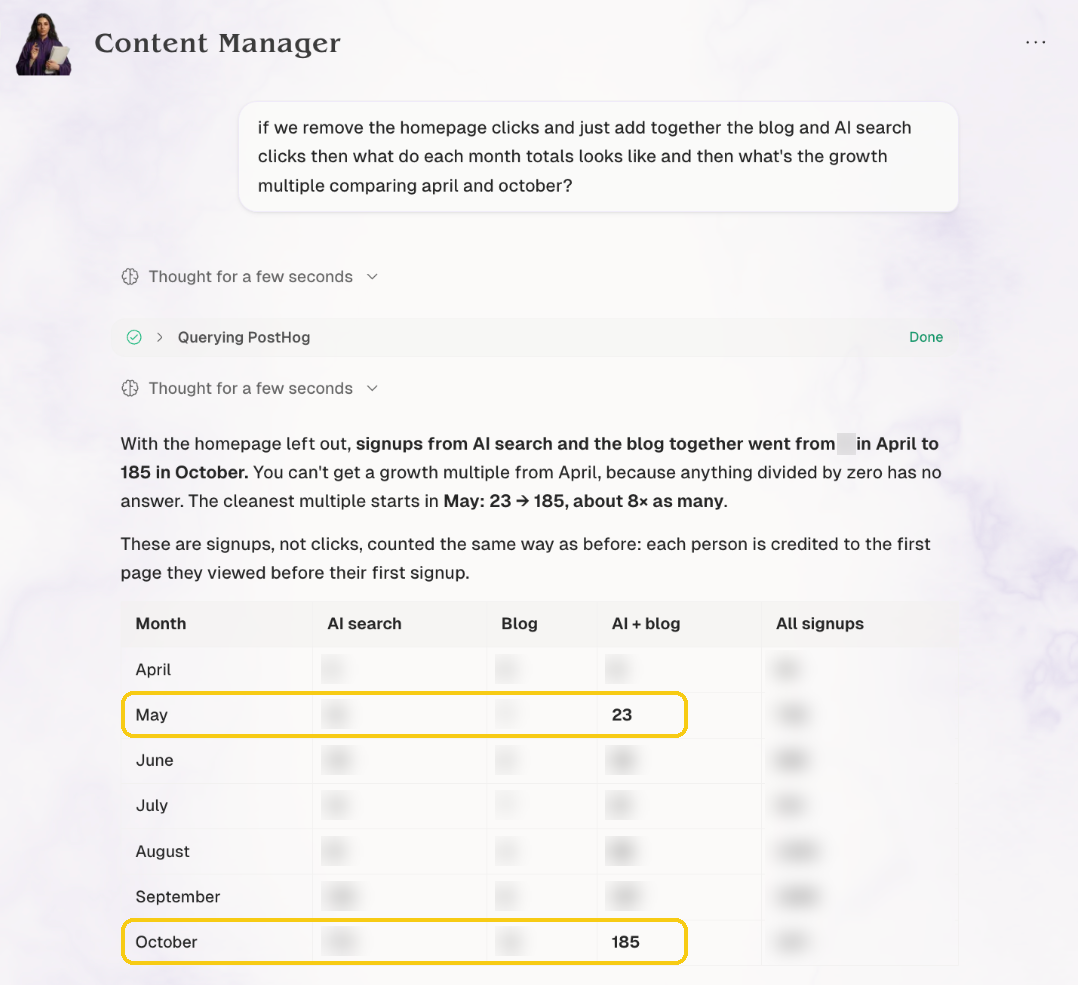
Bilt, which turns plain-language descriptions into mobile apps, used RankUp without an SEO hire or agency. It published 102 articles and made 369 updates over 6 months. Bilt’s combined signups from AI search and its blog rose from 23 in May 2026 to 185 in October 2026.
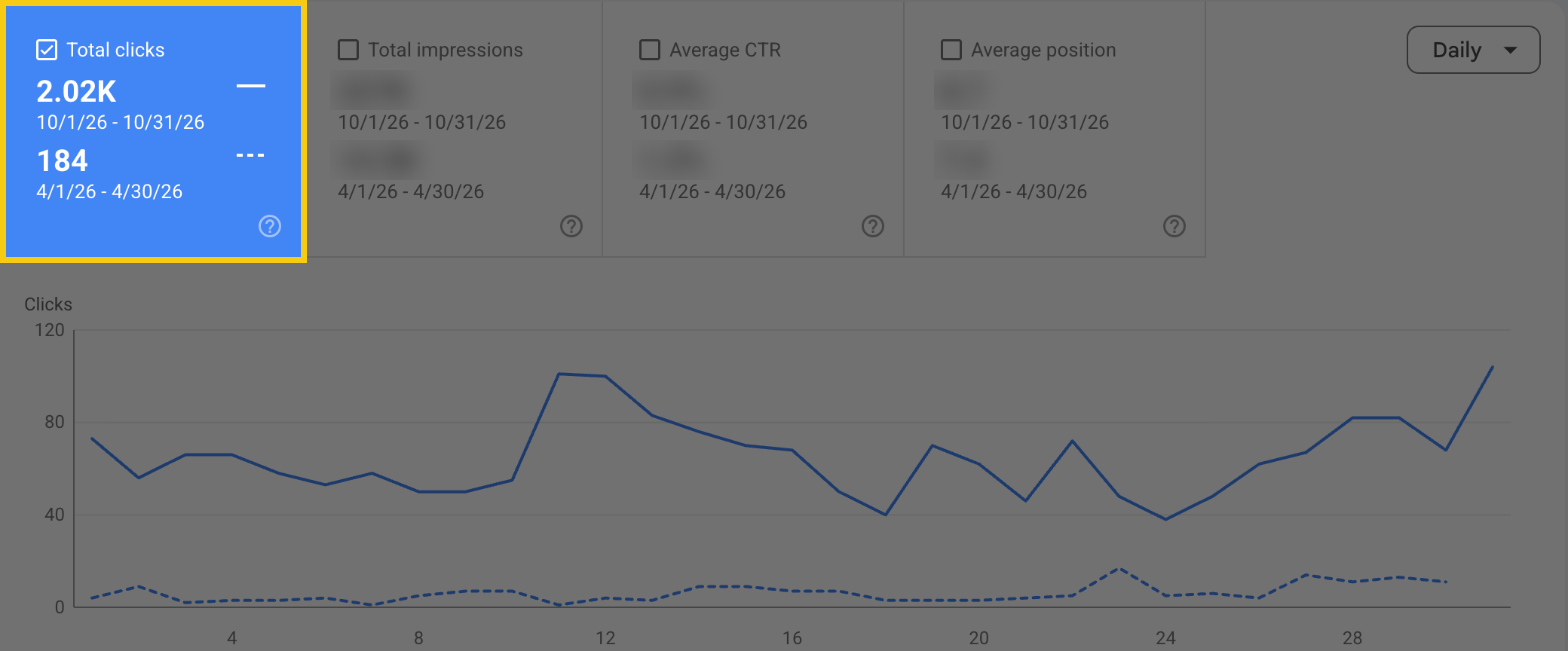
Clicks from Google grew 11x over the same stretch, from 184 in April to 2,022 in October.
Guardian, which helps care teams monitor risks, used RankUp to publish 80 articles and make 123 updates from May through September 2026 without an SEO hire.
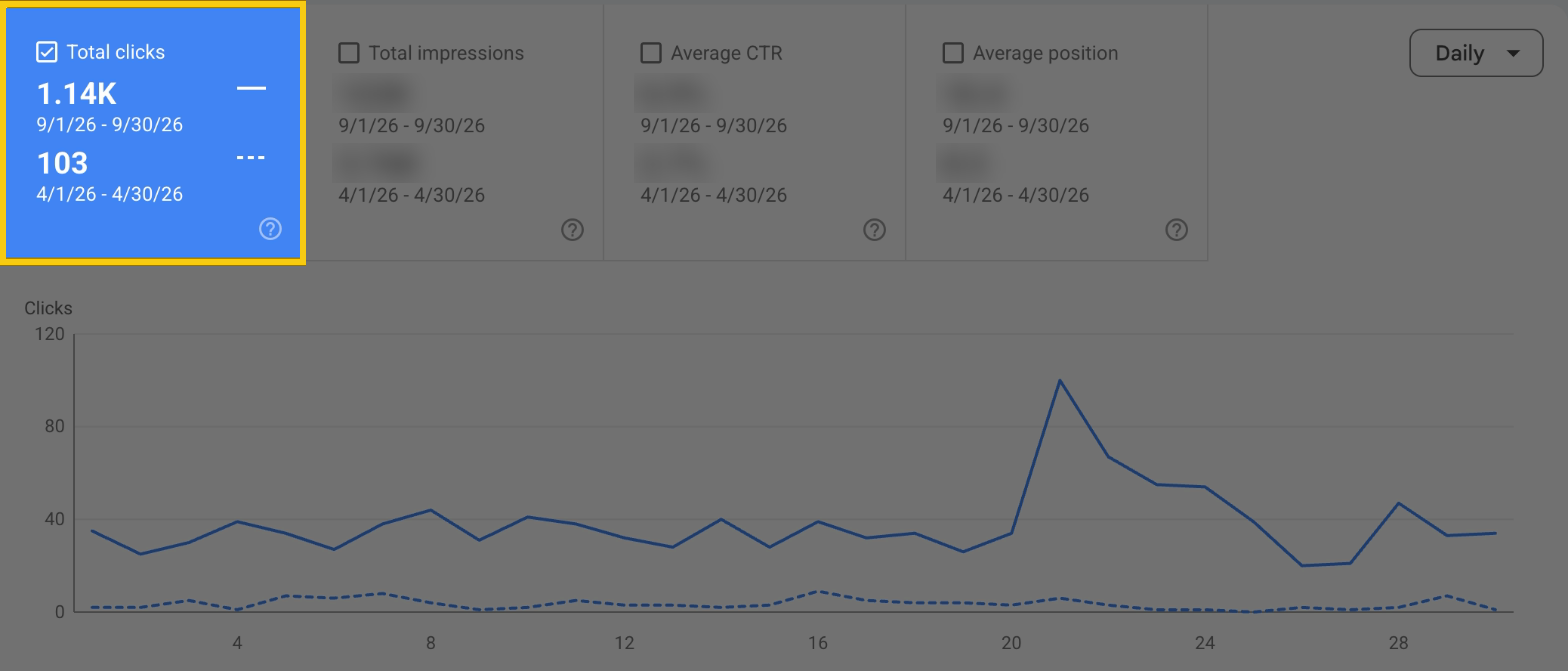
Its monthly search clicks rose from 103 in April to 1,145 in September, and a care facility booked its first demo 27 days after the first articles went live. The Content Manager audited articles monthly and proposed edits for its co-founder to approve or reject.
Compared with Profound
I see RankUp as a way for a B2B SaaS team to turn monitoring findings into reviewed content and deal work. Profound also supports writing and reusable marketing workflows alongside its enterprise-focused visibility intelligence.
To turn cited-site findings into deal proposals while RankUp uses your feedback in later work, start your 7-day free trial.
(For English B2B SaaS sites only.)
2. Peec AI
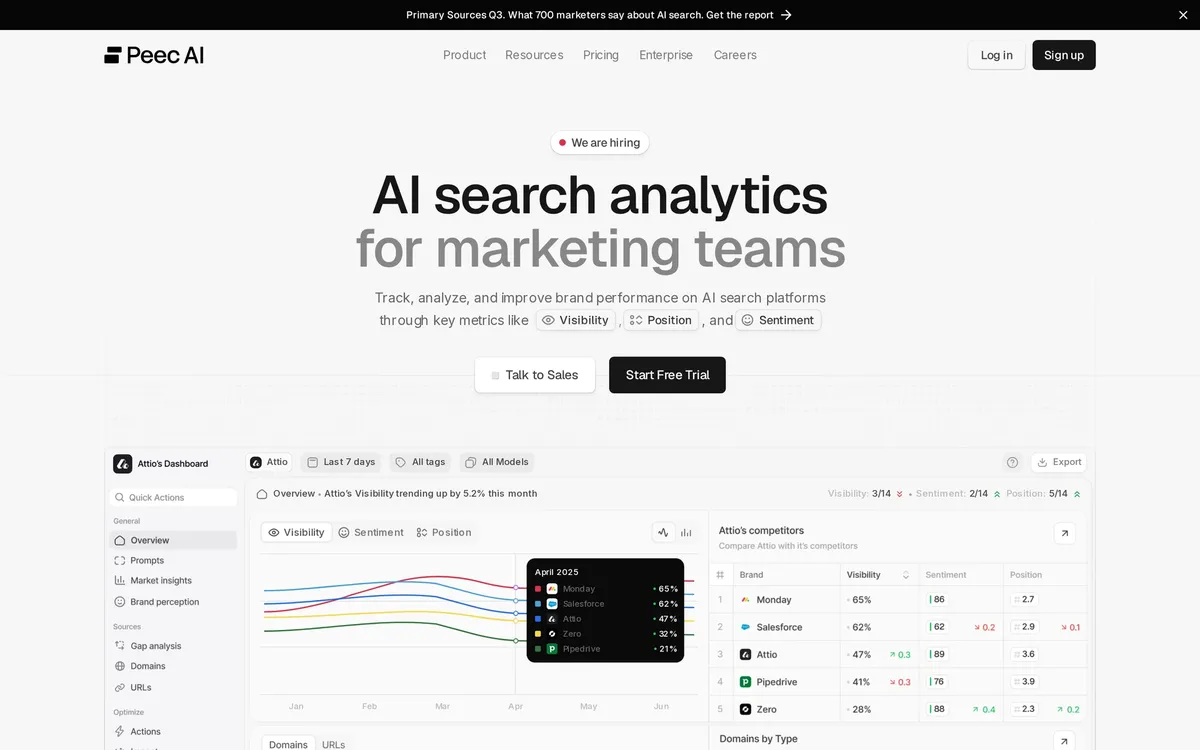
Peec AI is an AI search analytics tool that tracks your prompts every day and reports which pages AI answers cite.
Track prompts against your competitors
Peec runs your tracked prompts on the models in your plan. Its dashboard scores your brand's visibility and position next to the competitors you add, so you can see which brands the answers favour for each prompt.
Investigate cited sources and edit your pages
When an answer cites a page you don't own, Peec's source reports help you see what that page offers and how it has changed. Connected Search Console data shows where your Google visibility and your AI citations diverge. For pages you own, Peec suggests edits you can accept, change, reject or revert, and each agent edit made through its Framer connector waits for your approval.
Pricing
Starter, Pro and Advanced each include three active models, so a higher plan doesn’t give you more included models.
Plan | Monthly billing | Annual billing, per month | Additional model, monthly billing | Additional model, annual billing |
|---|---|---|---|---|
Starter | About $95 a month | About $80 a month | About $35 a month | $30 a month |
Pro | About $245 a month | About $205 a month | About $85 a month | $70 a month |
Advanced | About $495 a month | About $420 a month | About $165 a month | $140 a month |
Starter covers one country, while Pro and Advanced cover three. You choose three included models from engines including ChatGPT, Perplexity, Google AI Overviews, Google AI Mode and Gemini, and pay separately for additional models.
Best for
Peec fits a team that already has people or workflows handling content and wants source-level reporting to guide that work. Its agency and enterprise plans let teams allocate prompts, select models and set tracking frequency independently for each project.
Pros and cons
Pros
Citation-position history shows where a URL appears among sources for up to 30 days.
Stored versions of cited pages reveal additions and removals when more than one version is available.
Search Console data helps identify pages with Google visibility but few AI citations, and the reverse.
Charts distinguish days without tracking runs from days with zero visibility.
Suggested page edits can be reviewed and reverted, and teams can assign actions and schedule agent routines.
Cons
Additional models carry recurring charges, even on higher self-serve plans.
On-page actions require crawler access, so Peec needs to be able to reach the page before it can suggest changes.
Compared with Profound
Compared with Profound, I see Peec as an option for investigating cited sources and reviewing suggested page edits, especially when your team can direct the wider content work.
3. Semrush AI Visibility Toolkit
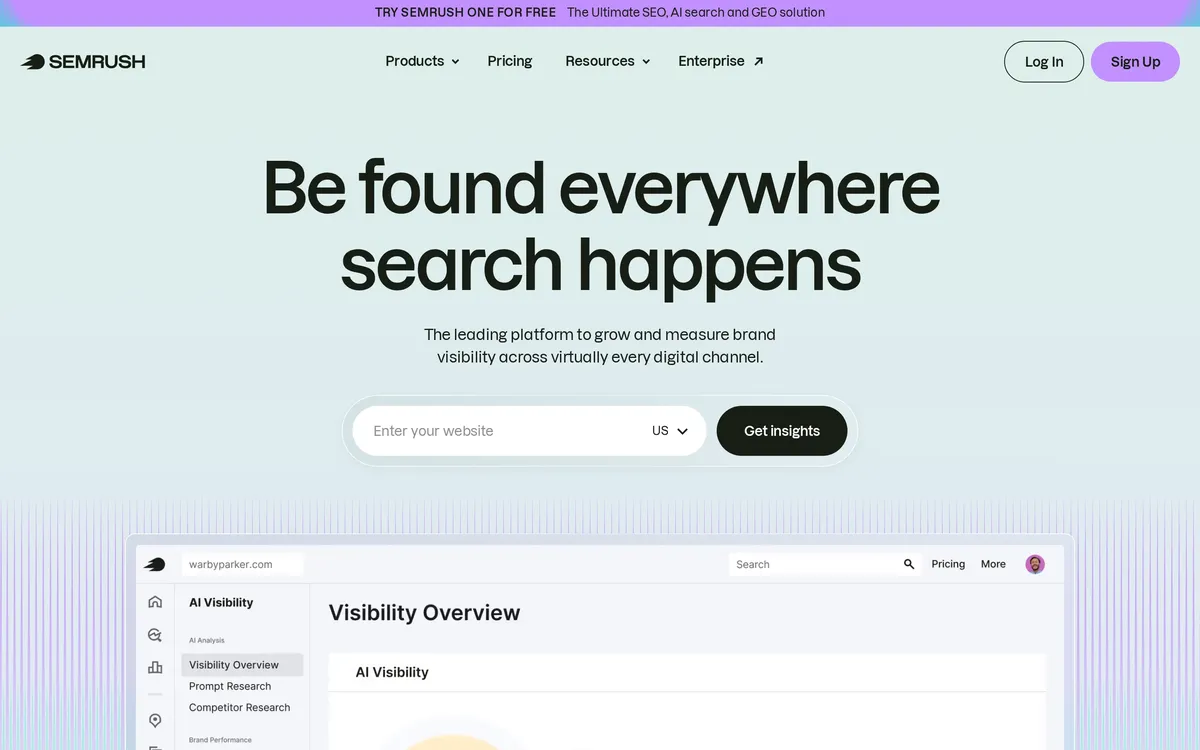
Semrush AI Visibility Toolkit adds AI-answer tracking and research to a Semrush account.
Research the answers, topics and sources
Visibility Overview stores the answers AI engines gave on your topic, highlights where your brand appears and links each answer to its sources. Topic Opportunities and Source Opportunities suggest topics and cited sites to investigate, and Prompt Tracking follows your custom prompts each day.
Check whether AI crawlers can reach your pages
The toolkit's site audit flags issues that could block AI crawlers from your pages. Fix those before investing in new content, because a page the crawlers can't read can't be cited.
Pricing
The standalone toolkit costs $99 a month for 1 project, 1 Brand Performance domain and 25 tracked prompts. There’s no free trial.
Extra capacity is charged separately, with a pack of 50 tracked prompts costing about $60 a month and another Brand Performance domain costing about $99 a month. Each additional user needs an AI Visibility license at about $99 a month, plus a Semrush seat.
Writing is available through the separate Content Toolkit at $60 a month. Both toolkits come to $159 a month before additional users or tracking capacity.
Best for
Semrush AI Visibility Toolkit fits teams already using Semrush that want to research AI-answer topics and sources alongside their existing SEO work. It suits teams with time to investigate which opportunities are worth pursuing.
Pros and cons
Pros
Visibility Overview shows captured answers with brand mentions highlighted and links to their sources.
Topic Opportunities and Source Opportunities let you include or exclude competitors to narrow the research.
Prompt Tracking measures where citations appear within each engine’s answer layout.
Cons
Custom Prompt Tracking updates daily for ChatGPT Search, Google AI Mode and Gemini. Perplexity is covered instead by Brand Performance, which updates weekly.
Prompt Tracking excludes share of voice, which is reported separately in Brand Performance.
The metrics answer different questions, too. Visibility Overview’s Monthly Audience estimates the audience for queries, not visits to your site, so use it to assess a topic’s potential reach and check your site data to see whether visitors arrive.
Compared with Profound
Compared with Profound, I value Semrush’s captured answers and competitor filters for investigating content opportunities. The visibility subscription leaves your team to turn those findings into published work and outreach.
4. AirOps Insights
AirOps Insights analyses AI visibility and prioritises opportunities. Its separate Actions workflows and Playbooks can turn those findings into new or refreshed content, with the customer configuring how the work runs.
Monitor prompts, citations and opportunities
AirOps builds the tracked prompt list from your brand, audience, site content and competitors. It then reports your mention rate, share of voice and average position against those competitors, broken out by ChatGPT, Gemini, Perplexity, Google AI Mode and Google AI Overviews.
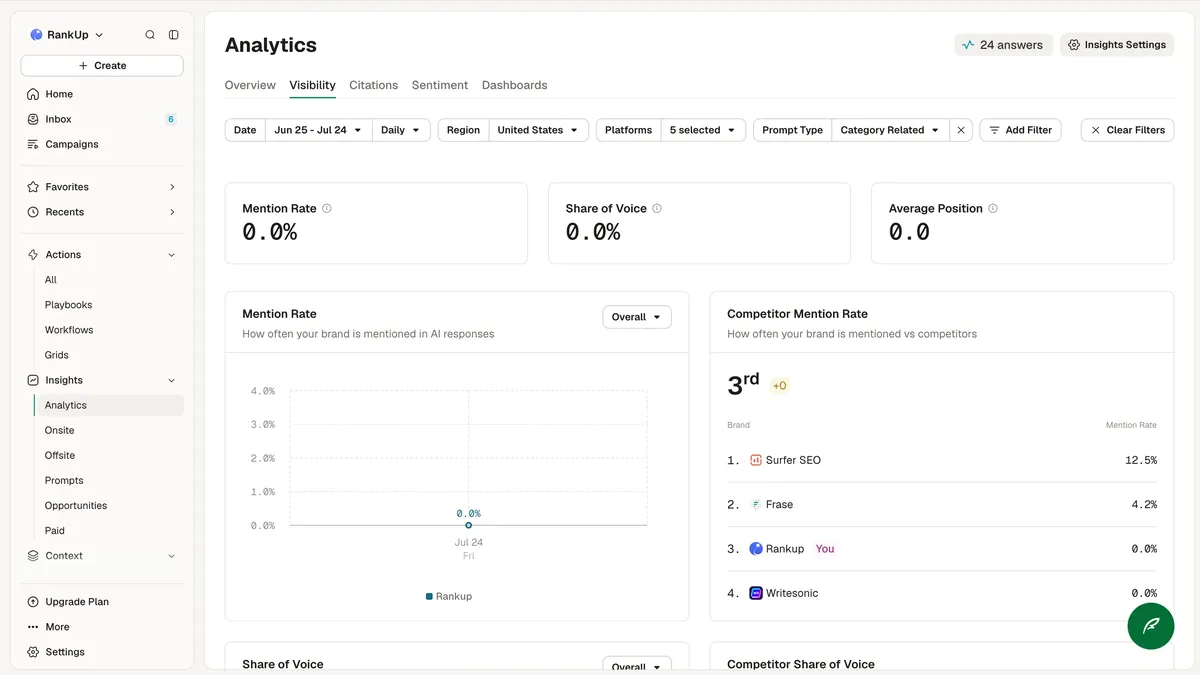
The citation views list the domains and URLs answers cite most, and the Opportunities view sorts suggestions into creation, refresh, outreach and community groups.
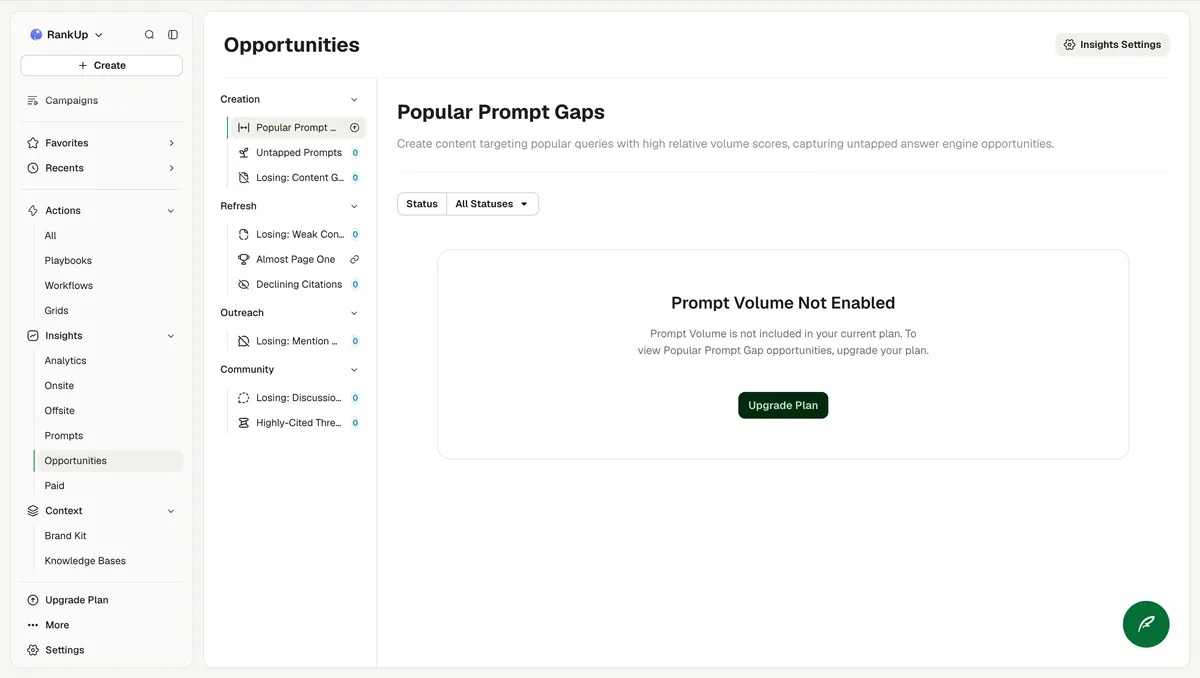
Turn opportunities into content
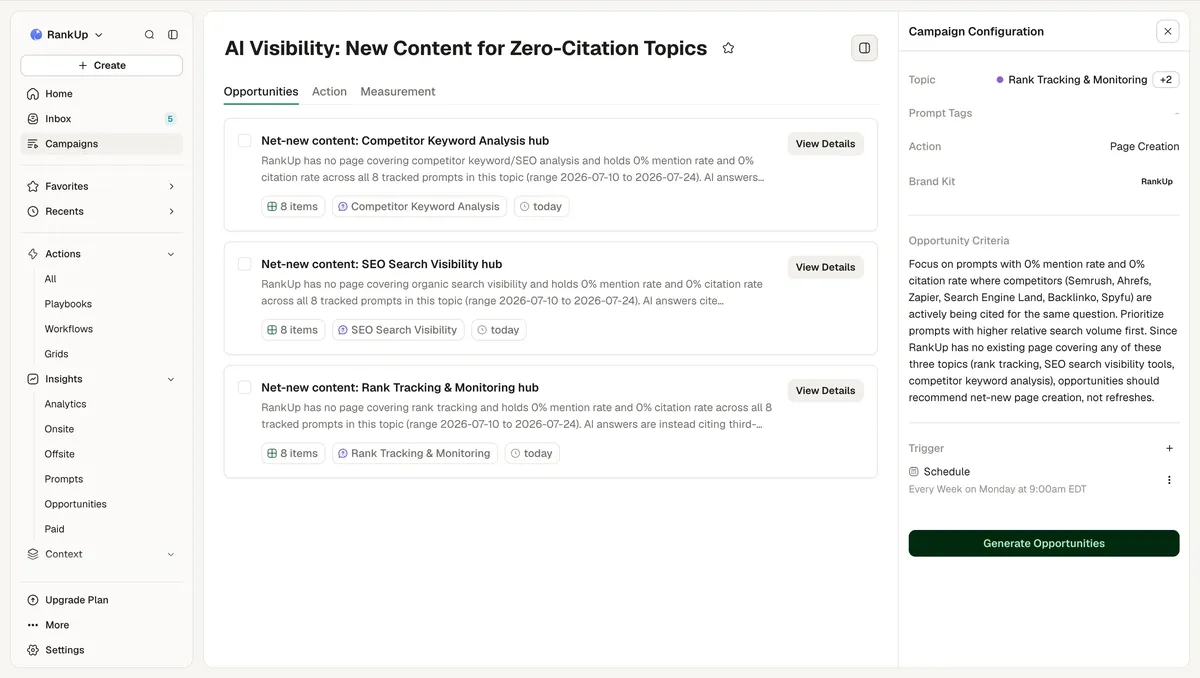
Campaigns take a set of opportunities, such as topics with zero citations, and run a page-creation action on a weekly schedule using your Brand Kit. Quill, the AirOps agent, helps you set up campaigns and build custom workflows on a visual canvas.
What I found testing AirOps
Onboarding suggested 5 competitors, and 2 or 3 of them matched my market. The rest were outdated or not real competitors, so I treated the first competitor comparisons with caution.
Quill turned gaps with no citations into three proposed content hubs, including competitor keyword analysis and rank tracking. I could select them for page creation, but the flow didn't show whether people searched for those topics, leaving demand for me to validate before building the pages.
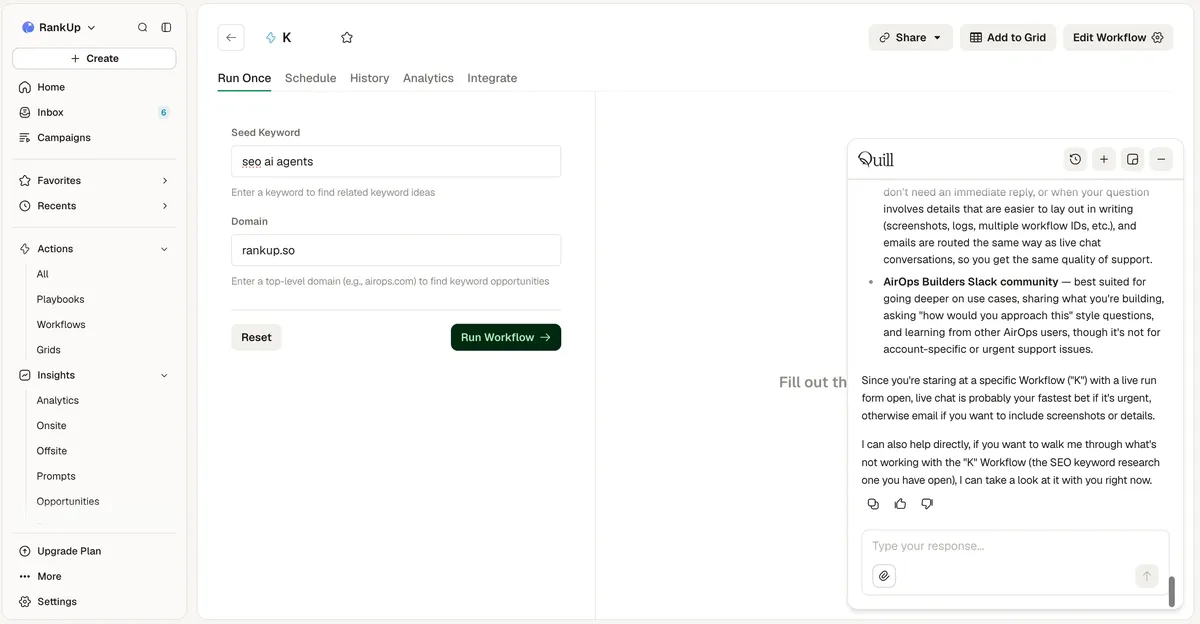
I also built a custom keyword-research workflow. Quill helped me find and place the steps, but when I got stuck on what belonged in the second input field, it gave me an answer I had no way to verify.
The connected article workflow produced a link map, an outline and a completed article. It didn't ask me for unique product knowledge or industry expertise, and the result didn't explain the product's relevance to the use case as I wanted, leaving that context and draft review for me before publishing.
Pricing
AirOps offers Solo, Pro and Enterprise plans but does not publish their prices. Solo includes ChatGPT Insights only, and new free-tier workspaces receive one included task.
In workspaces using combined-task billing, monitoring and content workflows share a monthly task balance. Workspaces using legacy Answer Credits keep separate balances for monitoring and workflow tasks.
Prompts run daily, and monitoring consumption depends on the configured platforms, regions and personas. Claude and Muse Spark answers each consume 4 billing units, compared with 1 for standard providers.
In combined-task workspaces, Protect Answers Tracking can reserve tasks for monitoring. Content workflows can pause when other executions reach the configured limit, preserving that monitoring capacity.
Best for
AirOps fits SEO professionals and content teams that know what they want to build and have the capacity to manage workflows. In my experience, Quill can help create a workflow, but someone still needs to define the problem, test the result and refine the steps.
Pros and cons
Pros
With a configured Brand Kit and tracked prompts, AEO Research steps can bring answers, citations and mentions into content workflows.
AEO Insight Triggers can start published Playbooks when configured visibility thresholds are met, where the feature is enabled.
Workflows configured for human review send those runs to the Inbox.
Cons
The initial prompt selection missed the first 25 prompts I would prioritise for brand mentions and citations, though users can add their own.
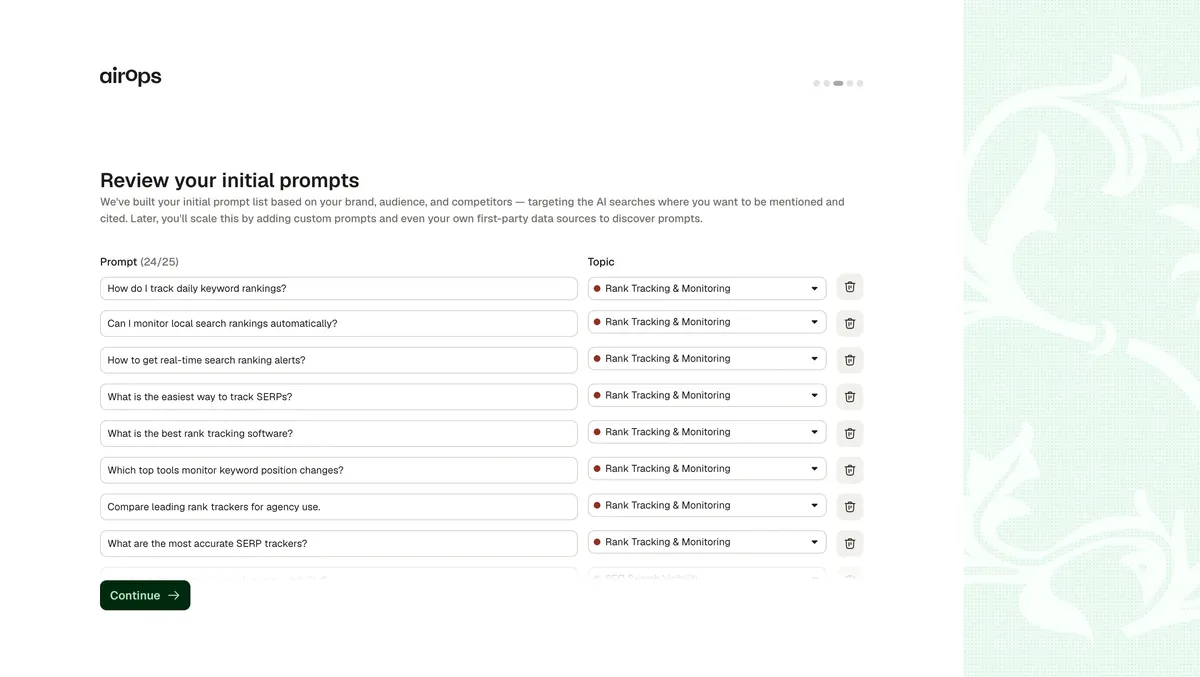
Popular Prompt Gaps, which ranks opportunities by demand, required an upgrade in my workspace.
Contentful, HubSpot CMS and Sanity need an extra update-tracking step. The Stale Pages filter excludes pages without a recorded content update.
Compared with Profound
AirOps offers a configurable route from visibility findings to content work alongside Profound’s marketing workflows. My test suggests the choice depends on your capacity to validate prompts and topics, then refine the workflows that act on them.
5. Scrunch
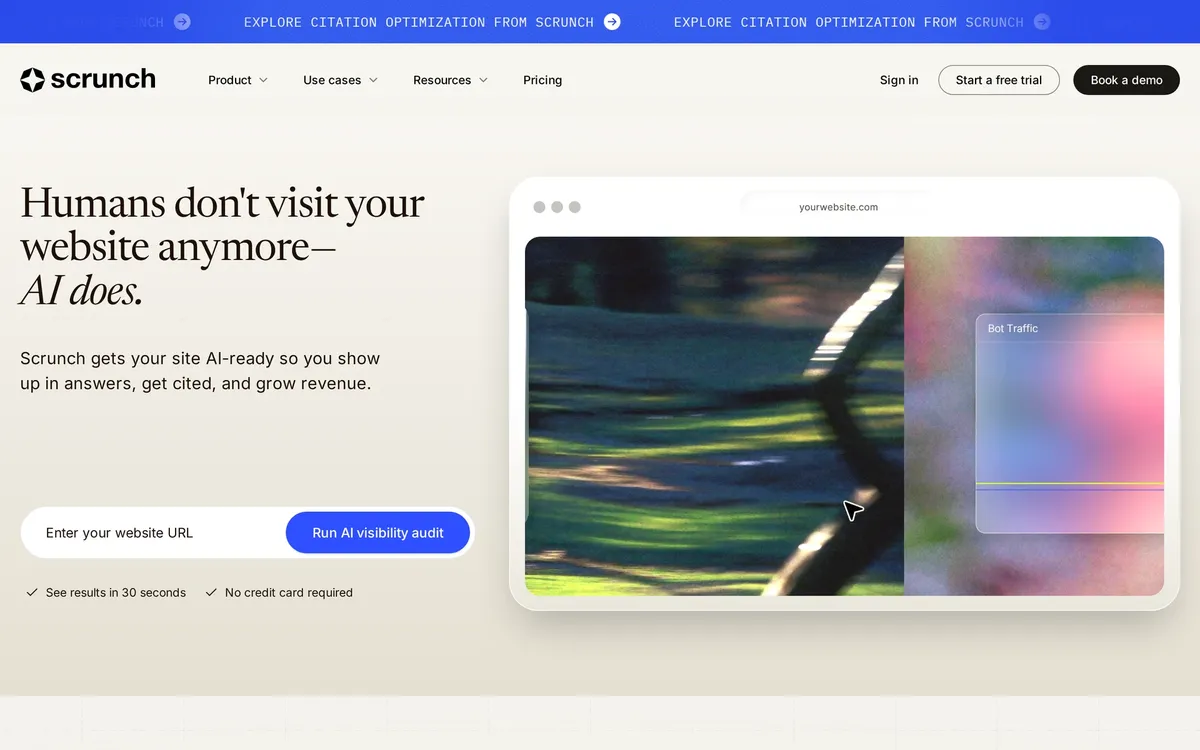
Scrunch combines AI visibility monitoring with page generation and optimization. Its Enterprise plan adds a delivery layer built for AI agents.
Monitor visibility and improve pages
Core tracks how AI answers present your brand and includes a monthly allowance of new pages to generate and existing pages to optimize, so the follow-up work starts inside the same subscription.
Serve AI agents a prepared page
The Enterprise Agent Experience Platform (AXP) observes what AI agents do on your site, then serves selected agents a prepared version of a page. In the documented Cloudflare deployment, the page keeps its existing URL and visitors still see the normal version.
Pricing
Core costs $250 a month on monthly billing, with 10 pages generated and 10 pages optimized each month.
Enterprise has custom pricing, yearly billing and a custom Agent Pages allowance. The AI-specific delivery layer is included in Enterprise rather than Core.
Best for
Scrunch Core fits mid-market marketing teams that want monitoring alongside help creating and improving pages. AXP is a separate consideration for enterprises that want AI agents to receive a different version of their content and have someone available to configure the site.
Pros and cons
Pros
In the documented Cloudflare deployment, AXP keeps the existing page URL while serving prepared content to selected AI agents.
In that configuration, people following citations see the normal human-facing page, without that page being changed by AXP.
The content and configuration require approval before AXP begins serving the AI-specific version.
Cons
The documented Cloudflare deployment requires the customer to install a routing snippet.
In the documented configuration, someone using a targeted AI user agent can access the AI-specific version.
That access matters when deciding what to serve. The AI-specific content is prepared in advance rather than generated for each request, so review it as material others can access.
Compared with Profound
Compared with Profound, Scrunch’s Enterprise delivery layer offers a distinct option for teams that want to serve a separate version of approved content to AI agents.
I assess Core by whether its page allowances cover the follow-up work you need. If a separate AI-agent version matters to your team, account for both the Enterprise purchase and the configuration and review work it requires.
6. SE Visible by SE Ranking
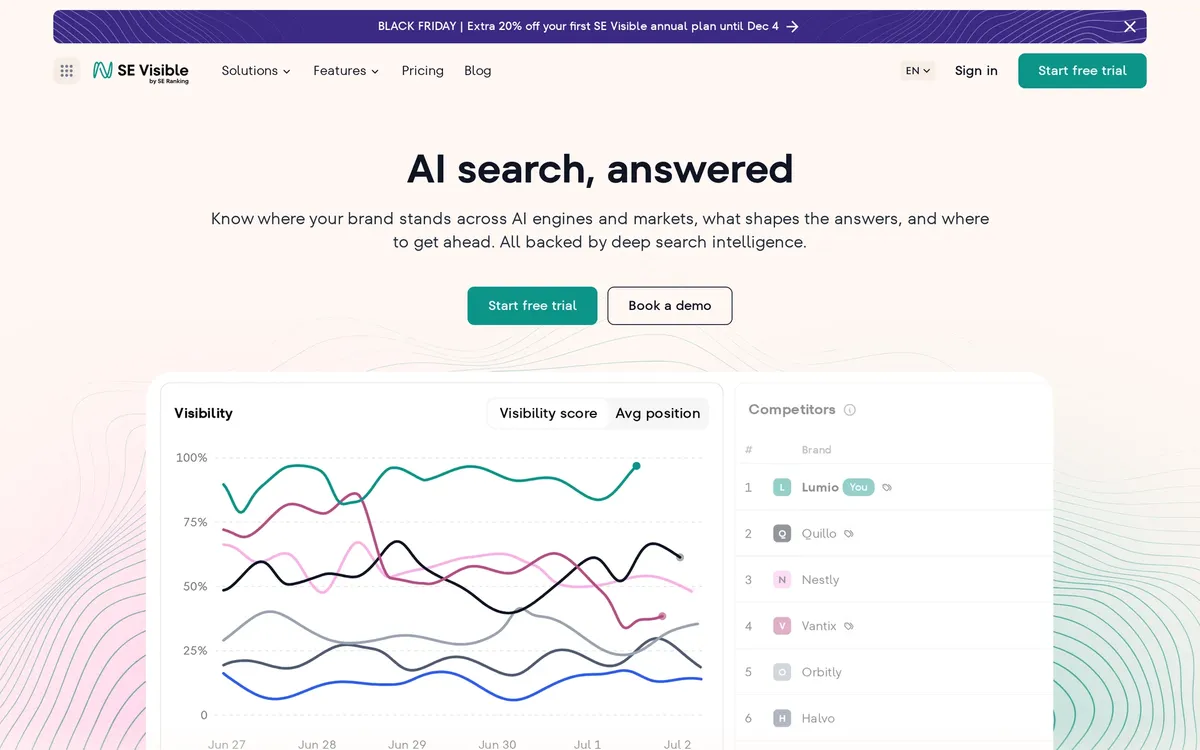
SE Visible is a standalone AI visibility tracker from SE Ranking. Its Beta agents turn citation gaps into tasks for your team.
Track prompts across engines and markets
SE Visible checks each tracked prompt in every location you add and reports visibility and share of voice by AI engine.
Basic, Core and Agency collect browser answers from ChatGPT, Google AI Overviews, Google AI Mode, Gemini and Copilot. Agency also checks Claude Haiku through an API without web search, so those answers aren’t web-grounded like the browser-collected answers.
Turn citation gaps into tasks
When answers cite sources that leave you out, the Beta agents create tasks for new content or third-party mentions. Your team still has to complete the work: writing the content and approaching the sites.
Pricing
Standalone plans start with 75 tracked prompts. Every SE Ranking plan also includes 25 prompts checked daily in SE Visible, but that allowance is separate from the standalone plans.
Each prompt-location combination uses a tracked prompt, while checks across the engines included in the plan don’t consume extra prompts. For example, tracking 10 questions in 2 locations uses 20 prompts.
Basic permits one location per project, while Core and higher allow multiple locations, with all projects drawing from the shared prompt allowance.
Best for
SE Visible fits agencies and reporting teams that want to share citation-based priorities with clients. It also suits B2B SaaS teams that already have someone responsible for the resulting content and outreach work.
Pros and cons
Pros
Standalone plans include unlimited users, Data Studio, API and MCP access, CSV exports and weekly email reports for sharing findings.
Stored answers and their cited sources can be inspected, so your team can see the answer behind a visibility finding.
Cons
Basic’s one-location limit can restrict comparisons across markets, even if prompt allowance remains.
Perplexity is absent from the published plan coverage.
Compared with Profound
I see SE Visible as a reporting and prioritisation option alongside Profound for teams that want to inspect answers themselves. If a cited page contains an error, its documented correction workflow leaves your team to contact the page owner.
7. Writesonic
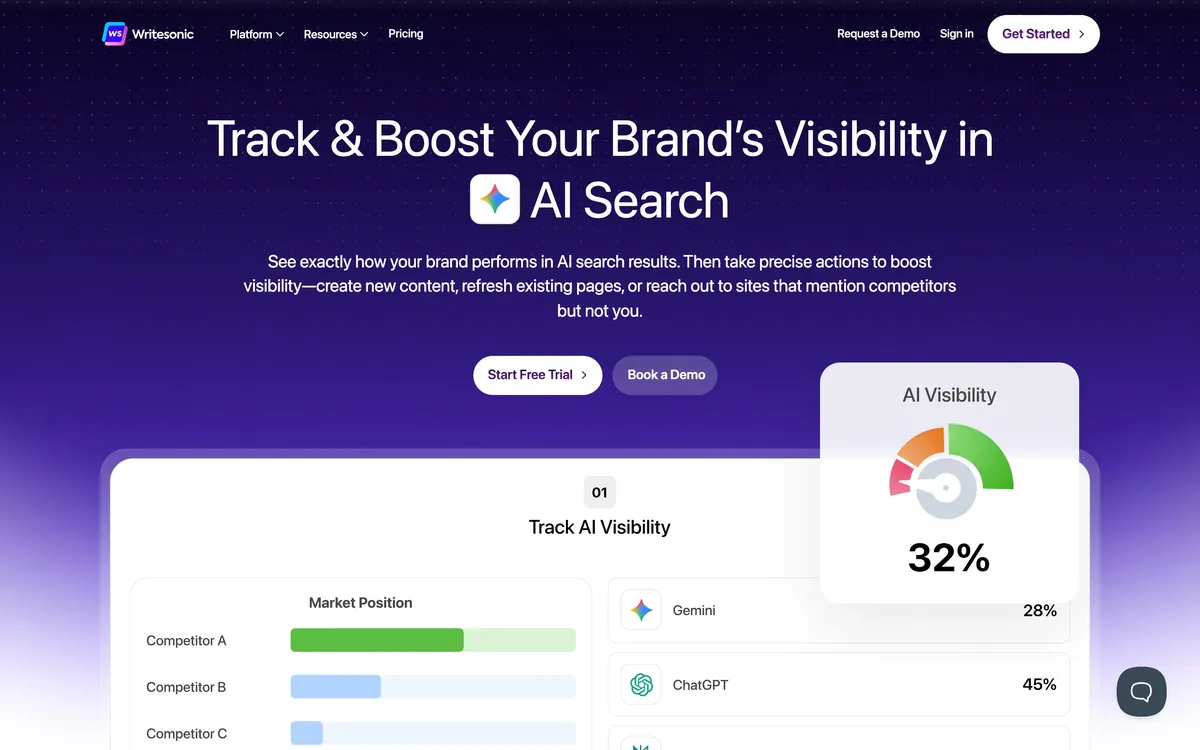
Writesonic combines daily AI visibility tracking with article generation in one subscription.
Track visibility, citations and competitors
Self-service plans monitor ChatGPT, Gemini and Google AI Overviews every day. The citation views show which pages answers cite, whether each page mentions you and which third-party pages mention competitors but not you.
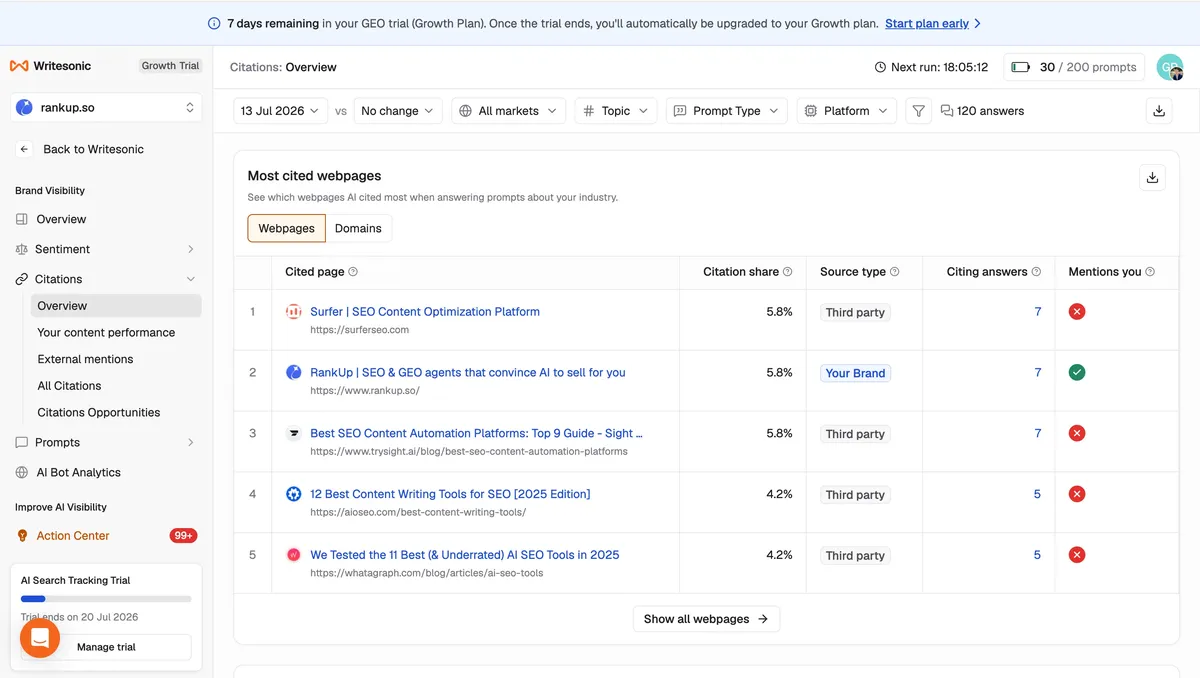
Act on findings in the Action Center
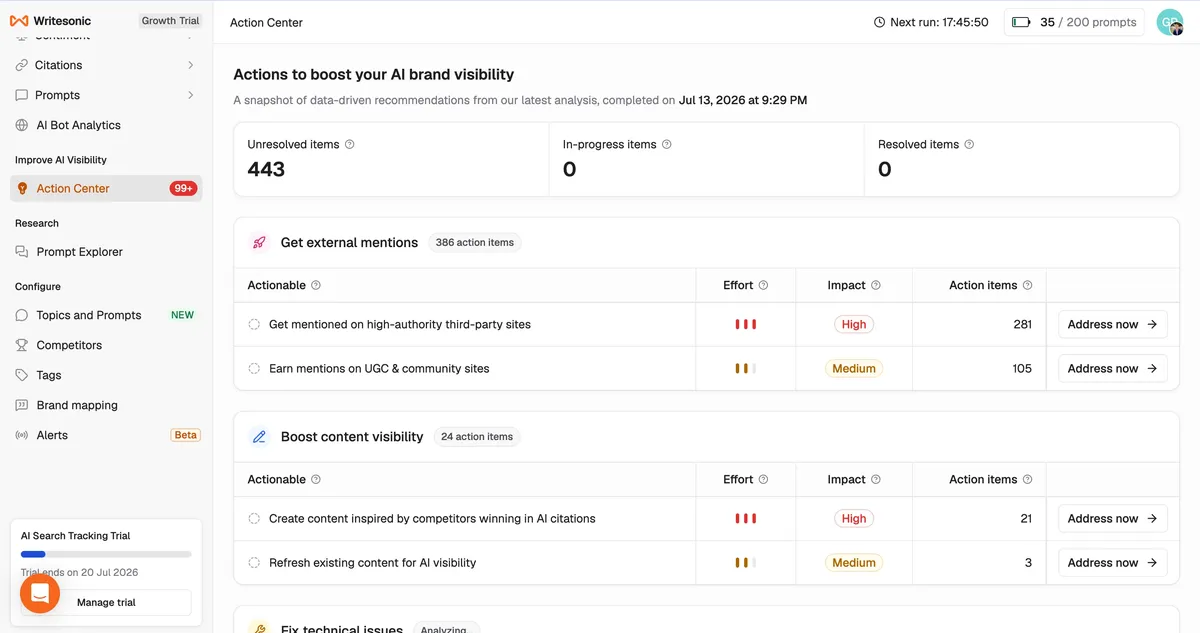
The Action Center groups opportunities into external mentions, content visibility and technical fixes, with an effort and impact rating on each. Access depends on your plan.
Write articles with the Article Writer
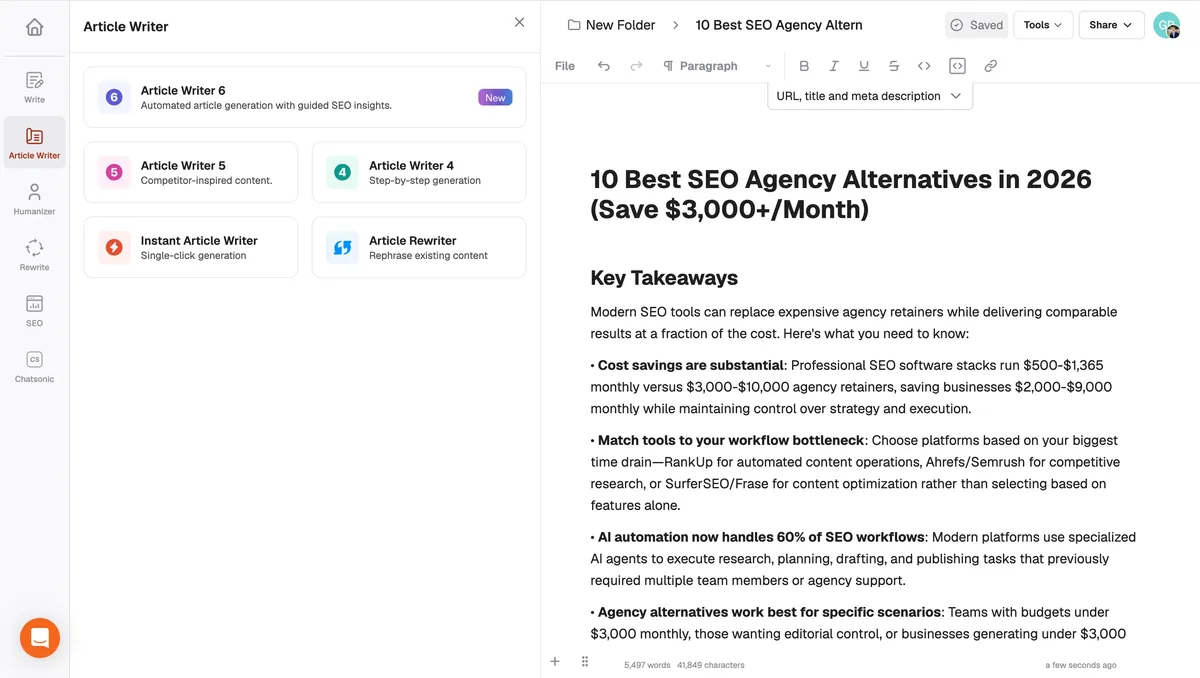
The Article Writer offers several generation modes, from a guided step-by-step writer to single-click generation and a rewriter for existing content.
What I found testing Writesonic
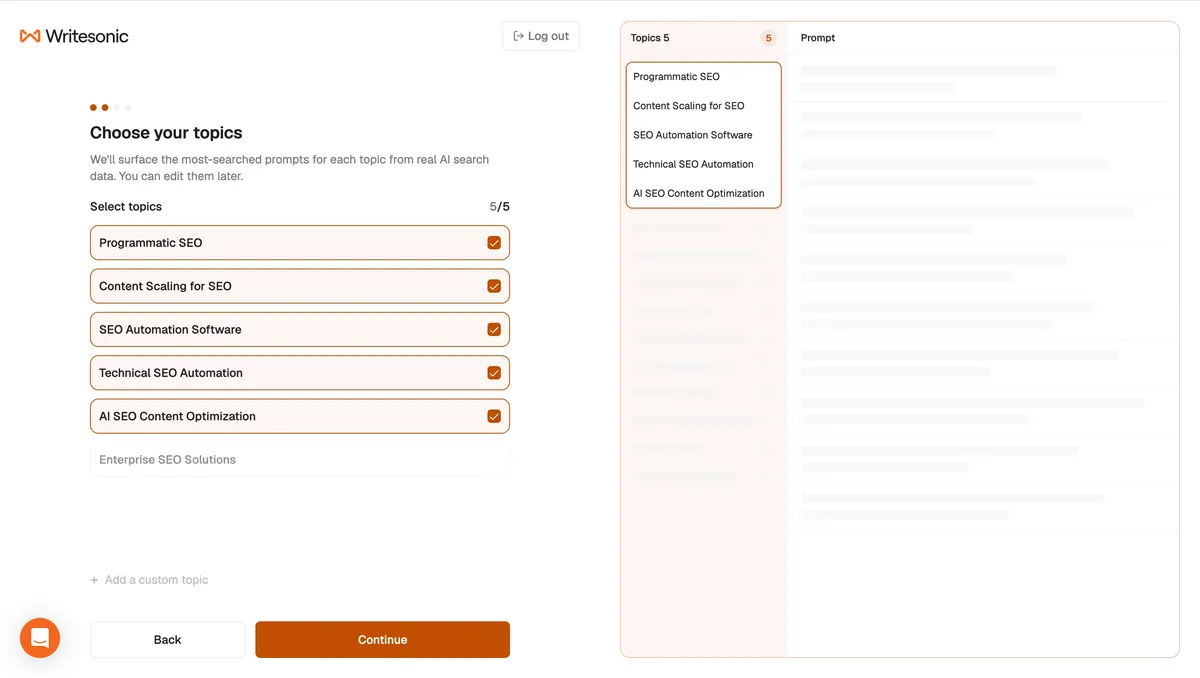
Writesonic was quick to set up and easy to navigate, and its controls behaved the way I expected. Its starting suggestions were weaker. Of the 5 topics onboarding proposed, only Content Scaling for SEO matched my priorities, so I kept it and added 4 of my own.
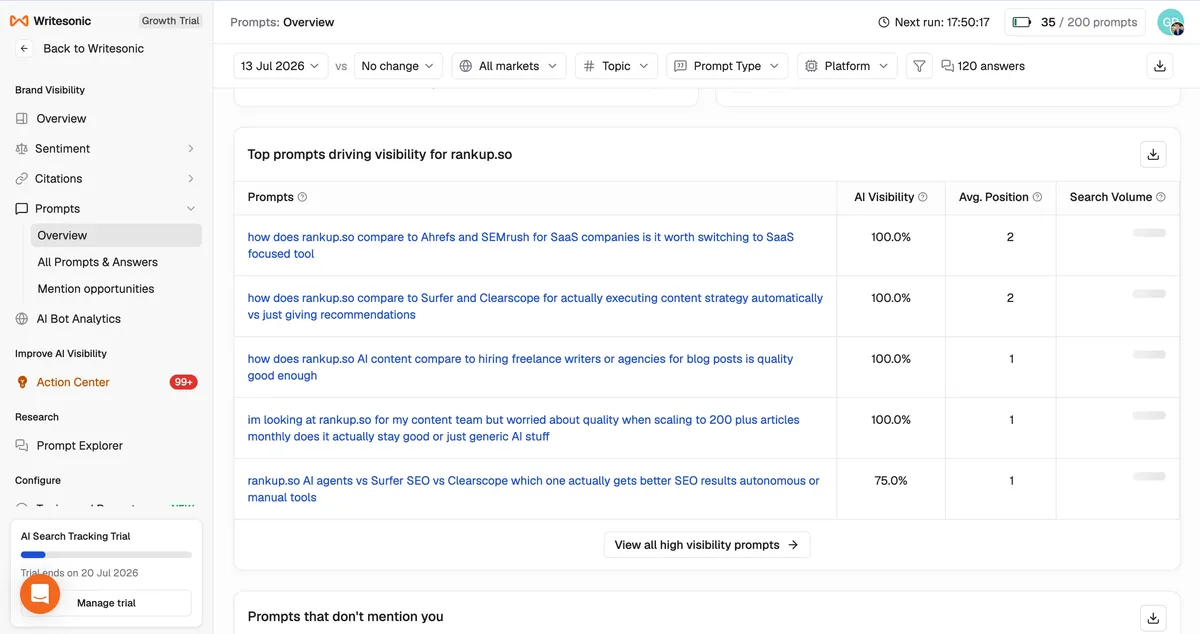
The Action Center listed 443 recommended items across mentions, content and technical issues, and Writesonic carried out none of them for me.
In my article test, I went through about 9 setup steps before generation. I supplied a blog post and configured the writing context manually. In a separate content-plan test, Writesonic missed the relevant competitors in my niche, so I added them myself.
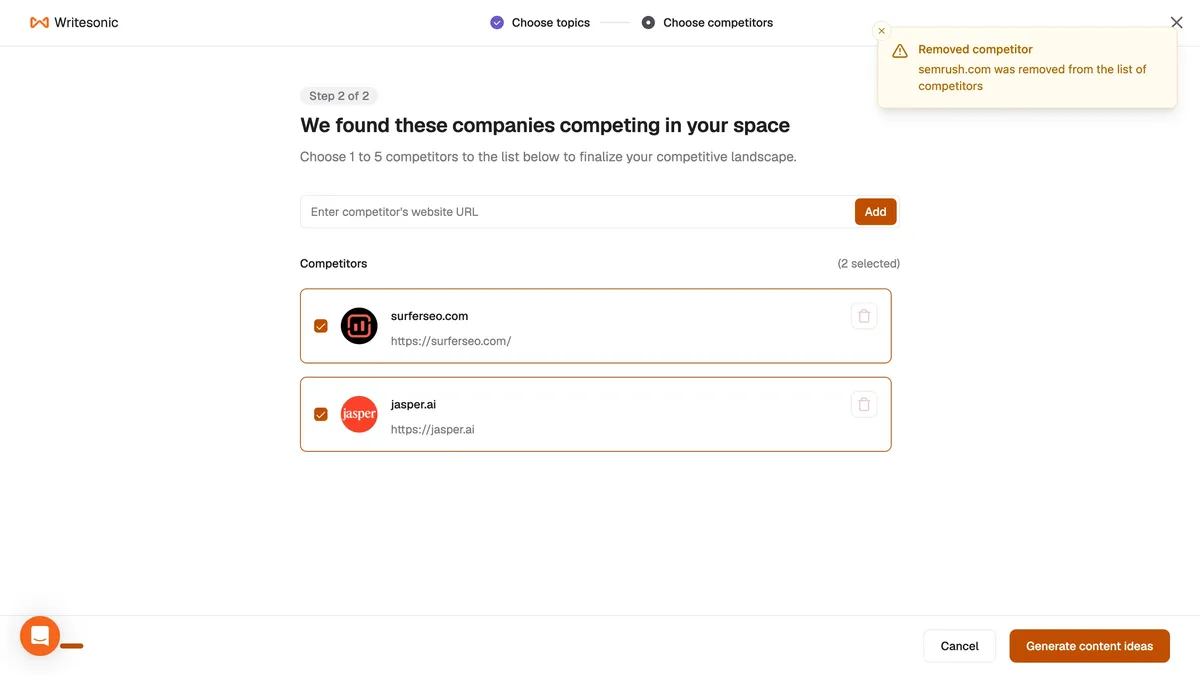
The article workflow left me to research and select keywords in another SEO tool and add relevant internal links. When I moved from an Action Center content idea to the article generator, I had to enter the topic again.
The generated draft lacked proprietary expertise, detailed implementation guidance and a distinct perspective. I account for the time needed to add those before publishing, rather than judging the subscription by its article allowance alone.
Pricing
The self-service prices below are monthly rates with annual billing:
Plan | Price | Articles per month | Tracked prompts | Answers per day |
|---|---|---|---|---|
Starter | $79 a month | 15 | 50 | 150 |
Basic | $199 a month | 25 | 100 | 300 |
Growth | $399 a month | 50 | 200 | 600 |
Enterprise has custom pricing, while the self-service plans have separate allowances for site audits, users and projects:
Plan | Monthly site audits | Maximum pages per audit | Users | Projects |
|---|---|---|---|---|
Starter | 10 | 100 | 1 | 1 |
Basic | 20 | 1,200 | 2 | 1 |
Growth | 50 | 2,500 | 3 | 2 |
Best for
Writesonic fits brands and agencies that already have people directing content and want writing and visibility tracking in one subscription. A B2B SaaS team without that capacity needs to account for the research and editing left to do.
Pros and cons
Pros
Daily tracking includes defined prompt and answer allowances, so you can judge whether the plan covers your buyer questions.
The Article Writer generated two outlines I could compare side by side before choosing one.
The Action Center identifies content, page-refresh, citation and technical opportunities. Growth offers a limited trial with no listed technical-action allowance, and Enterprise offers full access.
Where available, its citation workflow can draft outreach and track mentions.
Cons
Starter and Basic exclude the Action Center. Growth offers a limited trial with 5 on-page and 5 off-page actions a month, while Enterprise includes full access.
Growth’s Action Center trial lists no technical-action allowance.
Each self-service plan tracks one language-and-country market, and sentiment analysis starts on Growth.
Writesonic describes one-click CMS optimization on its Action Center page, but its Content Optimization documentation labels the buttons “Coming soon.” If page updates matter to your decision, test the workflow before relying on it.
Compared with Profound
Writesonic combines tracking with article generation alongside Profound’s visibility and marketing workflows. My test still left research and editing for me to complete.
I see it as a writing-and-monitoring layer for a team that can direct the work. The deciding question is whether its drafts and research leave you with a manageable amount to finish.
8. Frase
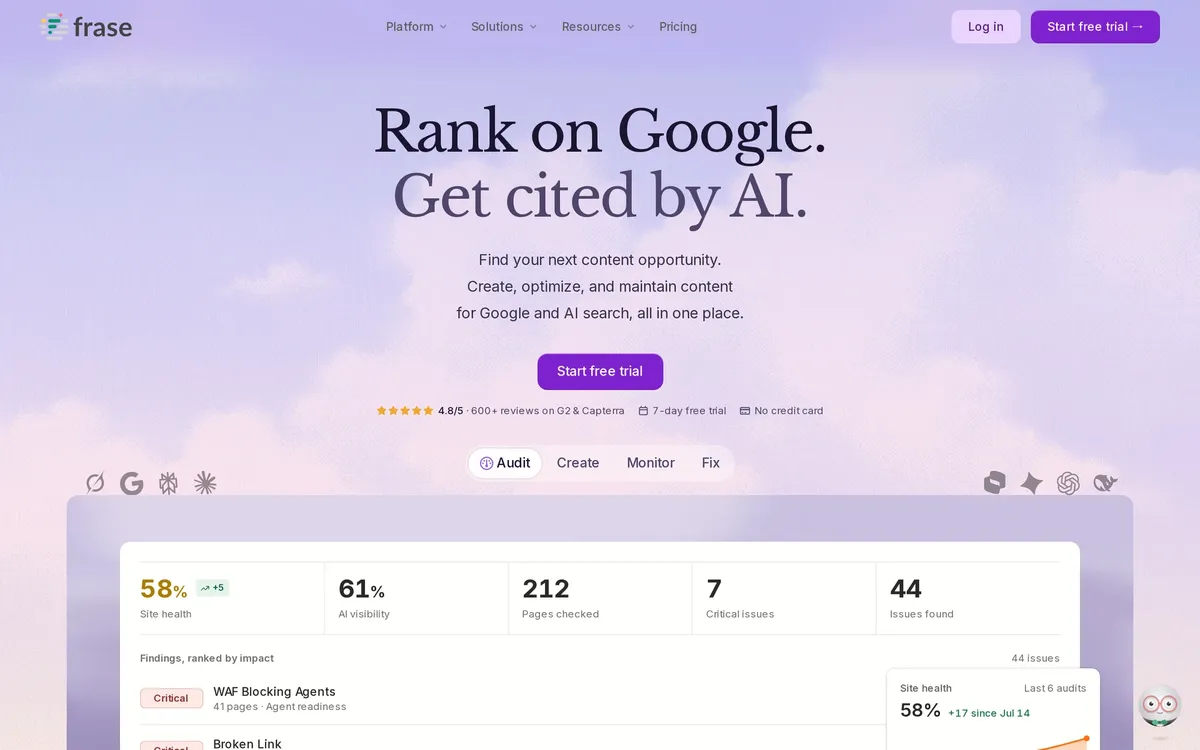
Frase connects AI-answer tracking with research and writing. Its recommendations show the prompts, competitors and sources behind a finding, and most include a button to start the proposed work.
Track prompts by buyer stage
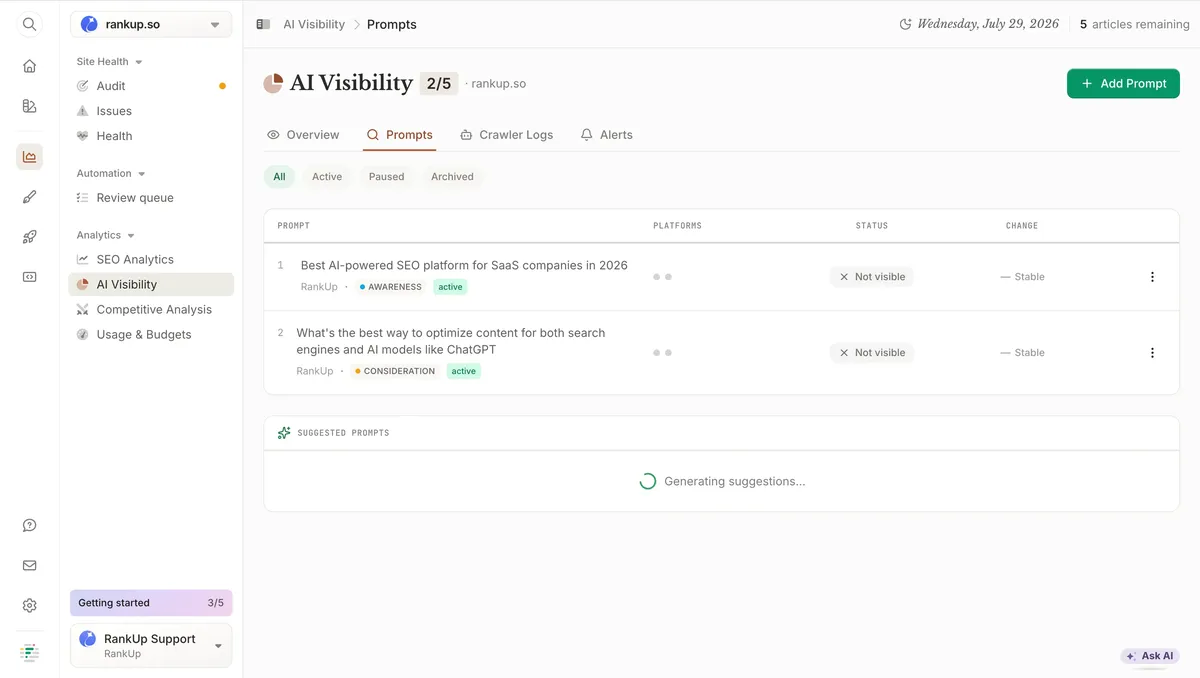
Frase's AI Visibility module reports how often the engines in your plan mention and cite your site for the prompts you track. It suggests more prompts grouped by awareness, consideration and decision, and a connected Google Analytics account can show traffic from AI platforms separately.
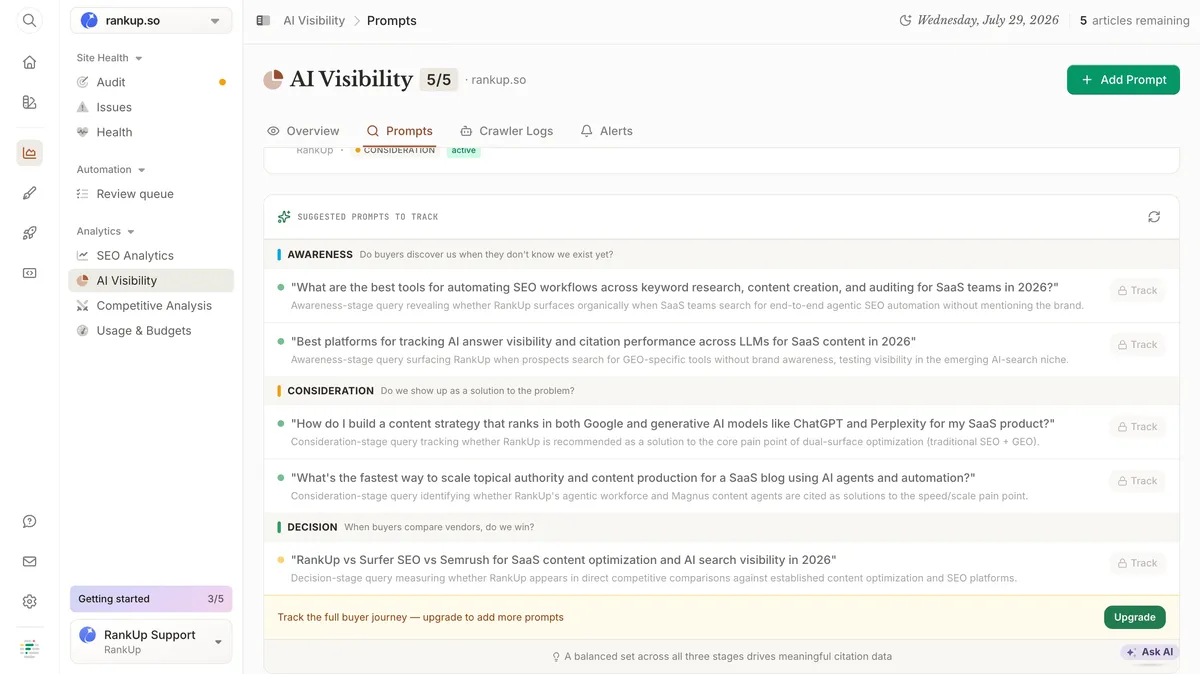
Research, draft and revise
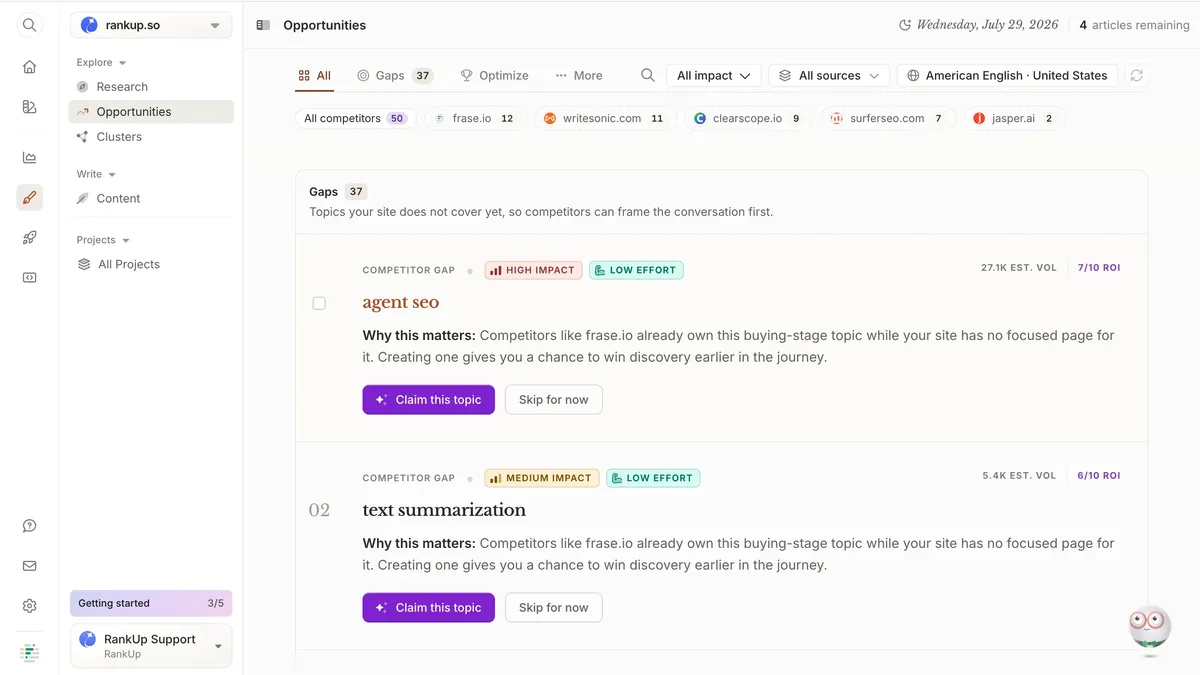
The Opportunities view ranks topics your competitors cover by estimated volume, effort and impact, and you can claim one to start work on it. Frase's agent then analyzes connected Google Search Console data, researches the selected topic and places an article draft in a review queue.
What I found testing Frase
My workspace opened with 2 broad prompts Frase wrote during setup, which made the first visibility report too sparse to judge.
Later, the share-of-voice summary put Surfer SEO at 100% and the other tracked tools at zero, although the underlying answers cited some of those tools.
The draft I received was in the wrong language, lacked product context and needed substantial structural correction.
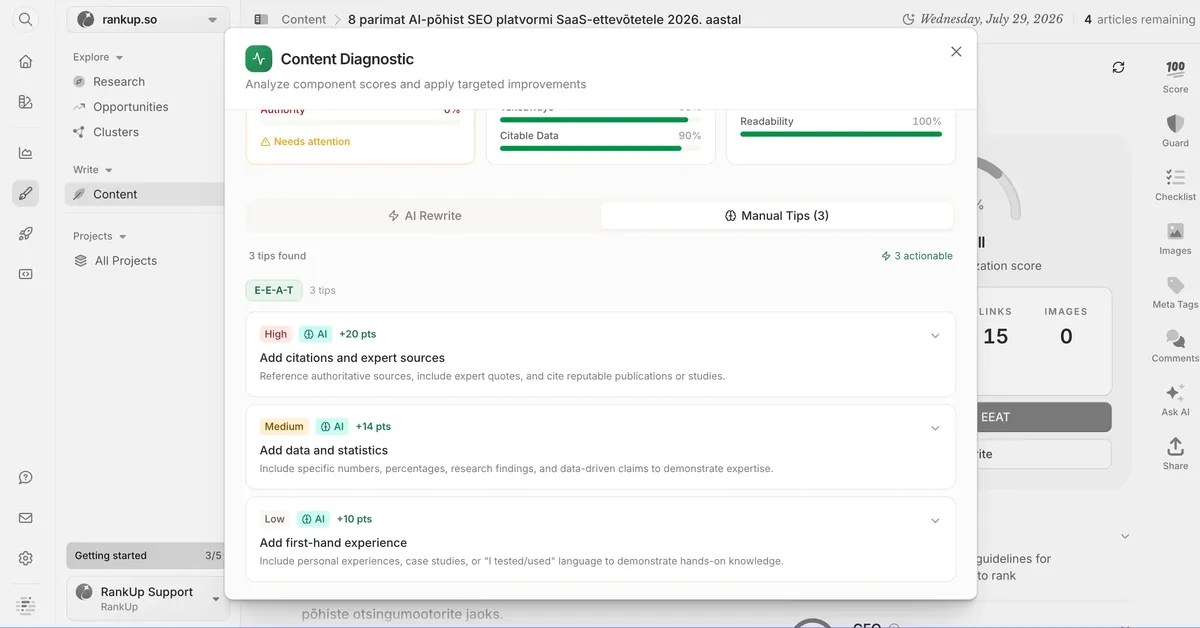
Frase’s Content Diagnostic then asked me to add citations, expert sources, statistics and first-hand experience. I account for that evidence gathering and editing when assessing the tool.
Frase separates its measurements, too. Its visibility metric measures the share of sampled AI answers that name or cite a brand, while its GEO content score evaluates content structure, so a higher score doesn't mean the page has earned more AI citations.
In my review, I couldn't see how its authority and AI visibility scores were calculated. Where the underlying answers are available, compare them with the score before letting it guide a page change.
Pricing
Frase has three plans, with lower monthly rates when billed annually:
Plan | Monthly billing | Annual billing, per month |
|---|---|---|
Starter | About $49 | About $39 |
Professional | About $129 | About $103 |
Scale | About $299 | About $239 |
Additional seats on Professional and Scale cost about $29 a month each. Include those charges if your team needs more seats than either plan provides.
Best for
Frase fits content editors and freelance writers who want tracking, research, drafting and revision in one workflow. It suits teams with someone responsible for checking product details and finishing the content before publication.
Pros and cons
Pros
Improve scores and Rewrite prepare revisions you can preview before applying.
Content Guard monitors ranking declines and suggests fixes for affected pages.
Section-level comments let coworkers discuss specific parts of an article.
Cons
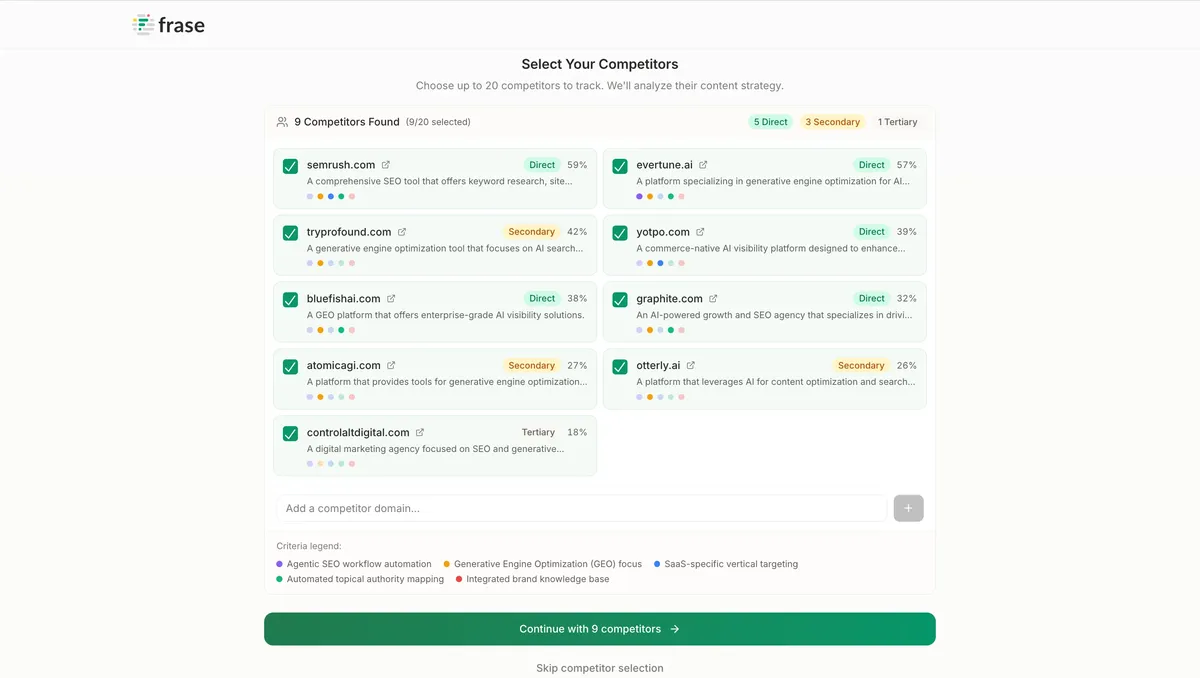
In my test, none of the automatically selected competitors were the company’s main competitors, so I replaced them.
Frase didn’t ask me targeted questions about my first-hand expertise before generating the article.
Compared with Profound
Frase connects tracking recommendations with drafts and reviewed revisions, giving editors a way to start content work alongside Profound’s workflows.
In my assessment, that workflow is most useful when someone has time to supply product knowledge, gather evidence and correct the draft. My test left enough of that work with me that I’d weigh editorial capacity alongside the subscription price.
9. Search Atlas
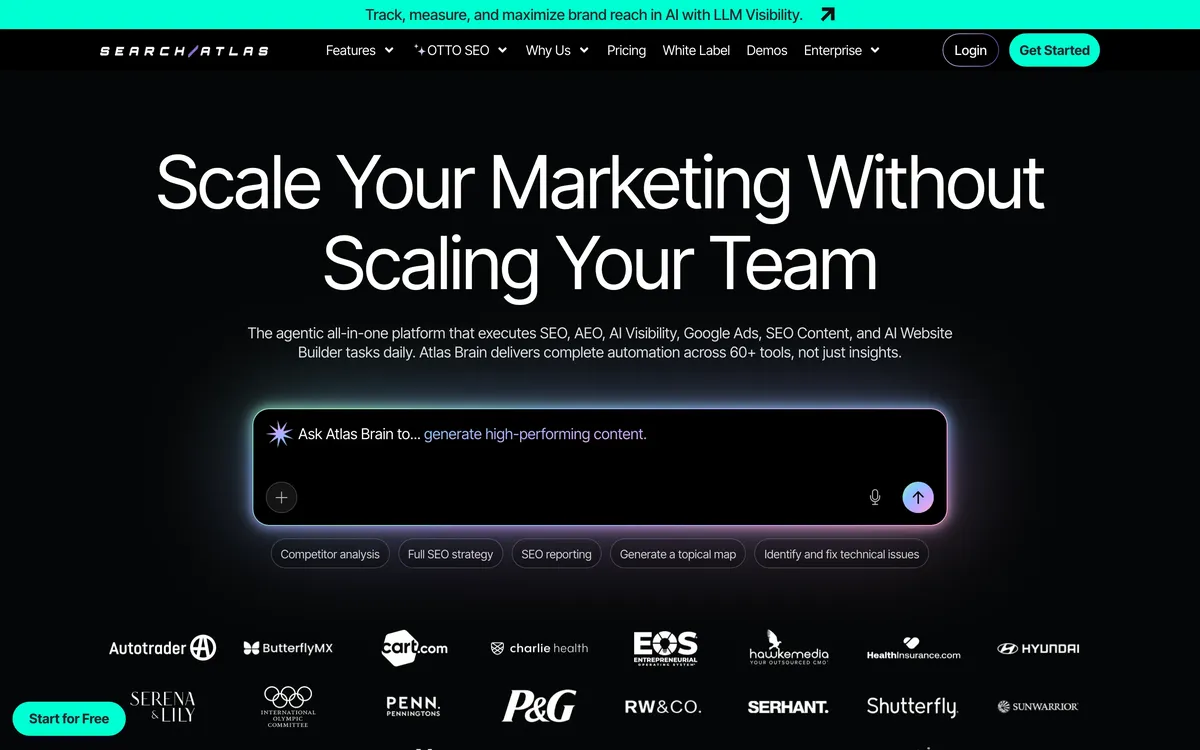
Search Atlas combines AI visibility reporting with on-page and technical work through its OTTO agent.
Report AI visibility by platform and topic
Search Atlas reports visibility, sentiment and citation share for each AI platform in your plan, next to topic performance and the URLs answers cite. Its agent can also propose the queries to monitor.
Apply fixes with OTTO playbooks
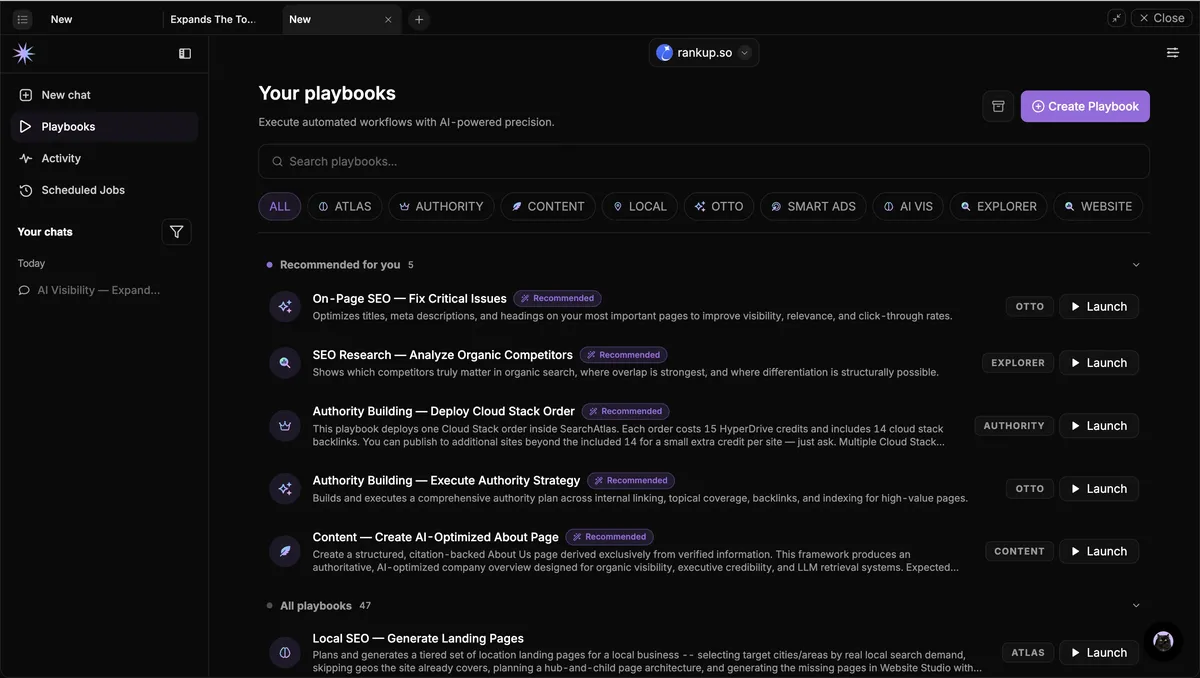
Repeatable work runs as playbooks, with workflows for on-page fixes, competitor research, authority building, local SEO and content. OTTO applies the resulting changes through the OTTO Pixel. Pixel-powered fixes stay live only while the pixel stays connected or the changes are reapplied another way, and published content and landing pages don't depend on it.
What I found testing Search Atlas
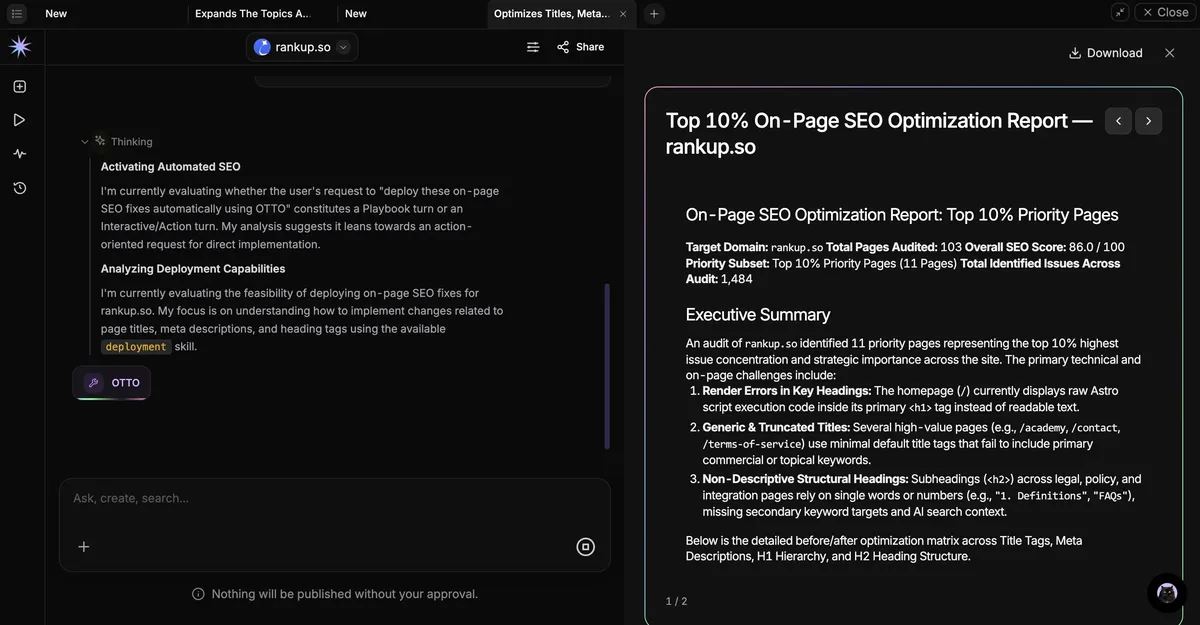
I ran the On-Page SEO: Fix Critical Issues playbook on rankup.so. It audited 103 pages, prioritised 11 of them and flagged an H1 rendering error, generic titles and non-descriptive headings, then asked me to install the OTTO Pixel or a Cloudflare Worker before deploying fixes. I couldn't tell why it recommended that playbook over the others.
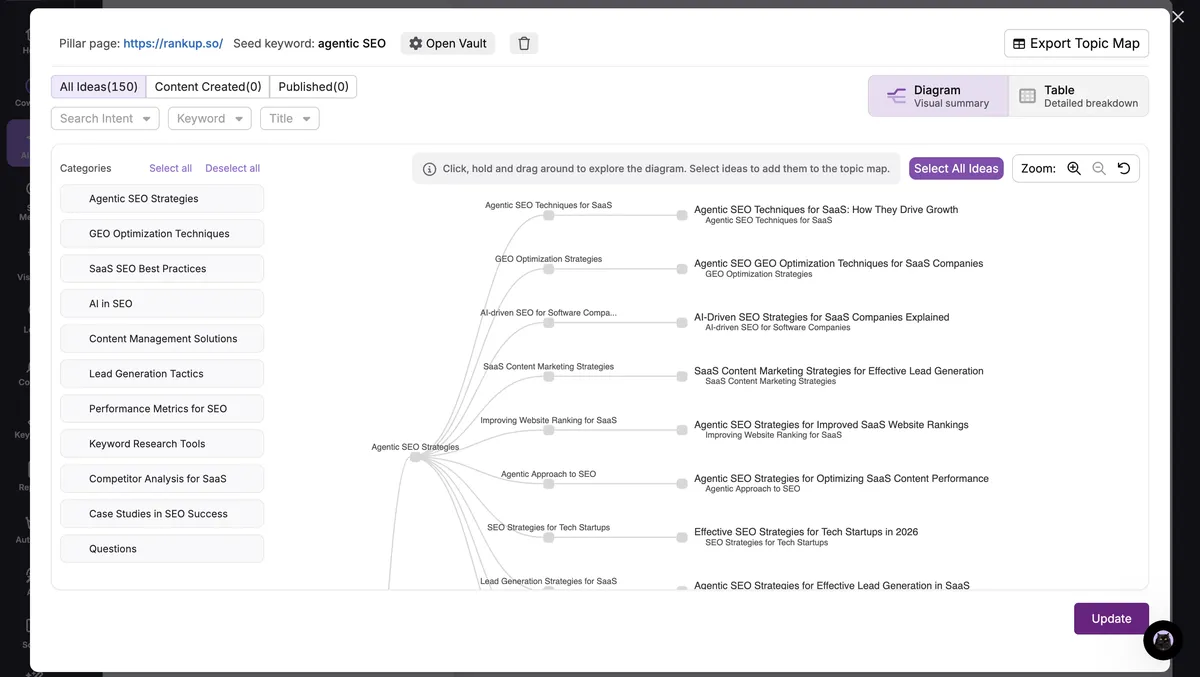
The topical-map workflow required a starting keyword, topic or pillar page. From the seed topic agentic SEO, it produced 150 ideas grouped into categories. I also had to make configuration and tool-selection decisions in the Auto agent workflow, so I account for that direction in the time set aside for a trial.
I asked Search Atlas to add internal links, but it reported that no relevant links were available even though the content pool contained related articles about SaaS agents, SEO agents and AI agents. That leaves its suggestions for me to check against existing pages.
In my competitor comparison, Search Atlas selected domains with similar words rather than the site’s main market rivals. Check that comparison against the products your buyers actually consider before using it to decide what to cover.
Pricing
Search Atlas offers four monthly plans:
Starter: $99 a month for 1 seat.
Growth: $199 a month for 3 seats.
Pro: $399 a month for 5 seats.
Agency: $999 a month for 10 seats.
Starter lists one AI provider without naming it, while Growth lists ChatGPT, Gemini and Google AI Mode, and Pro adds Copilot, Perplexity and Claude. OTTO, content execution and CMS publishing are listed across the plans, with usage subject to each plan’s allowances.
Best for
Search Atlas suits SEO specialists who want reporting alongside technical and on-page execution. In my experience, its reporting is particularly useful for specialists working with local and service-based businesses.
Pros and cons
Pros
OTTO handles meta tags, schema, technical fixes and content publishing.
After the OTTO Pixel is connected, changes deploy automatically. Approval mode and rollback controls are available.
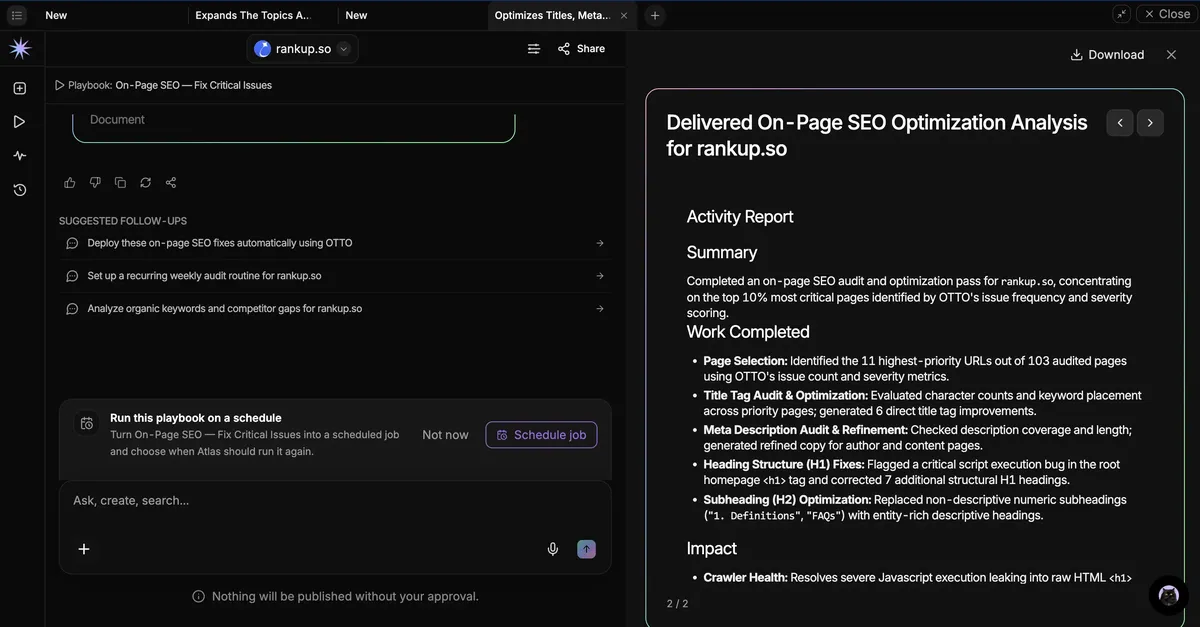
Visibility reporting includes cited URLs, their placement in answers and historical trends.
Cons
In my test, the generated blog was shallow and off-brand, requiring substantial work before publication.
The content workflow didn’t interview me for industry insights or expert perspectives.
Before removing the pixel, you can export changes as a CSV and reapply them in your CMS, or use Cloudflare deployment.
Compared with Profound
Compared with Profound, Search Atlas offers a route for applying technical and on-page changes alongside its reporting.
In my test, Search Atlas was stronger at technical checks and basic page hygiene than at content creation and strategy. For a B2B SaaS team, the practical question is whether its page changes justify the configuration and editorial work still left to do.
Which Profound alternative should you choose?
Every tool on this list can show you a visibility gap. What differs is who turns that gap into a new page, an update or outreach, and who judges whether the work is ready to publish.
To build your shortlist, compare each subscription with the work it leaves to you:
Decide who will research topics and write articles after a visibility gap appears, whether that work stays with your team or goes to a freelancer, service or software workflow.
Check who will prepare page updates and how much product context and editing you must add before approving them.
Check who will pursue cited sites, including preparing correspondence and sending it.
Compare the subscription with the cost and team time needed for research, editing and outreach outside the product.
Compare how far each product takes the same finding, how good the work is and what your team still needs to finish.
Grow your B2B SaaS in AI search with RankUp
Every tool on this list will show you an AI answer that gets your product wrong or names a competitor instead.
What differs is the week after.
Someone has to decide which finding is worth acting on, rewrite the page or write a new one, approach the site the answer cited, and check whether the next answers changed.
A tracker gives the person doing that work better information. It doesn't give you the person.
RankUp is the self-improving system to grow your B2B SaaS in AI search, built for teams where nobody owns those steps yet.
Say an answer describes your product wrongly and cites a review page you don't own.
RankUp proposes an update to your own page and a deal with the cited site. The Content Manager writes the edit from your product facts, the Deal Maker drafts the letter, and you approve the edit and send the letter from your own mailbox.
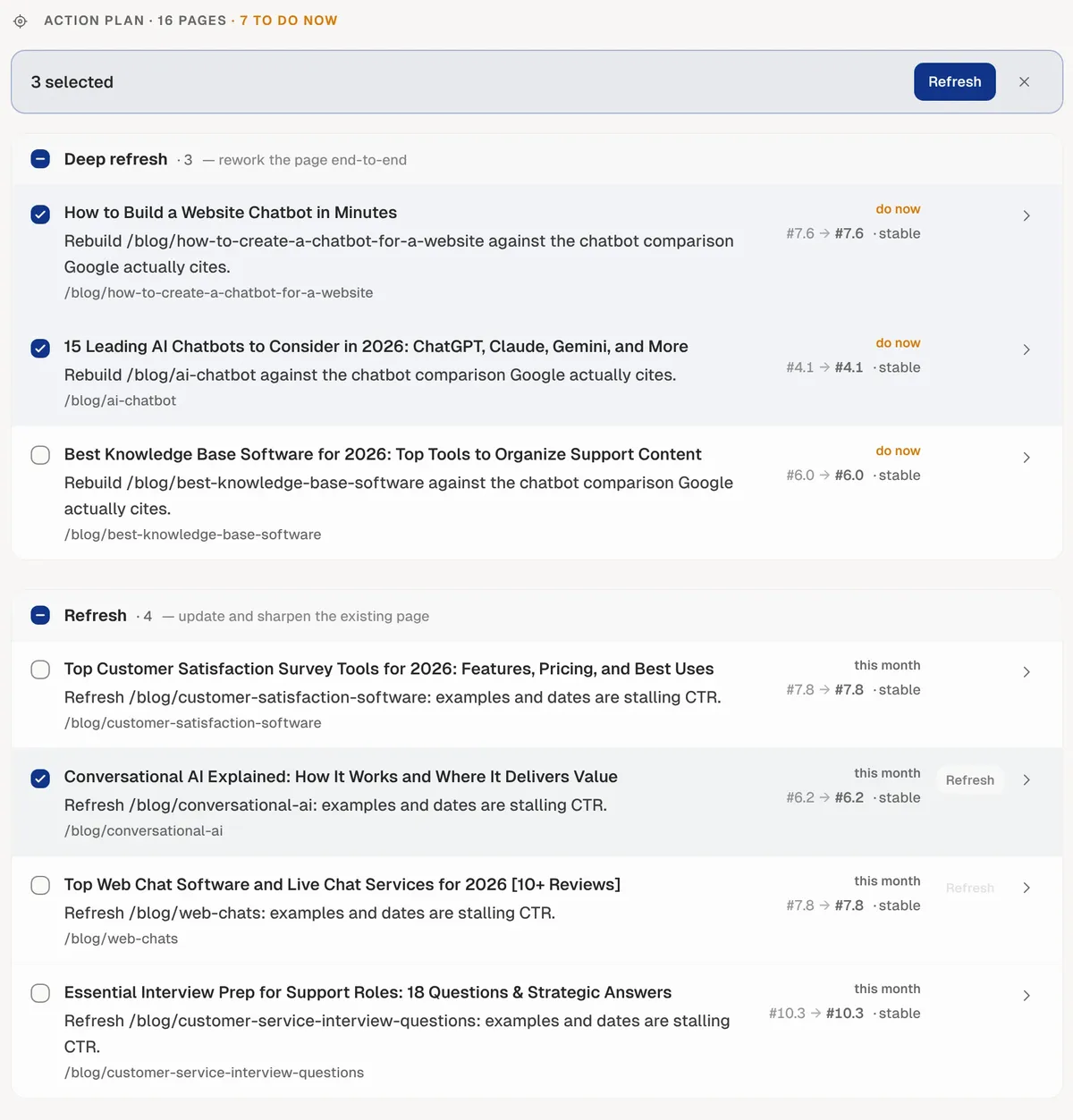
Results feed into the next round. Each month RankUp reads your Search Console, PostHog and AI search data, finds which pages won and which lost, and turns that into an action plan of page updates. You pick which ones run.
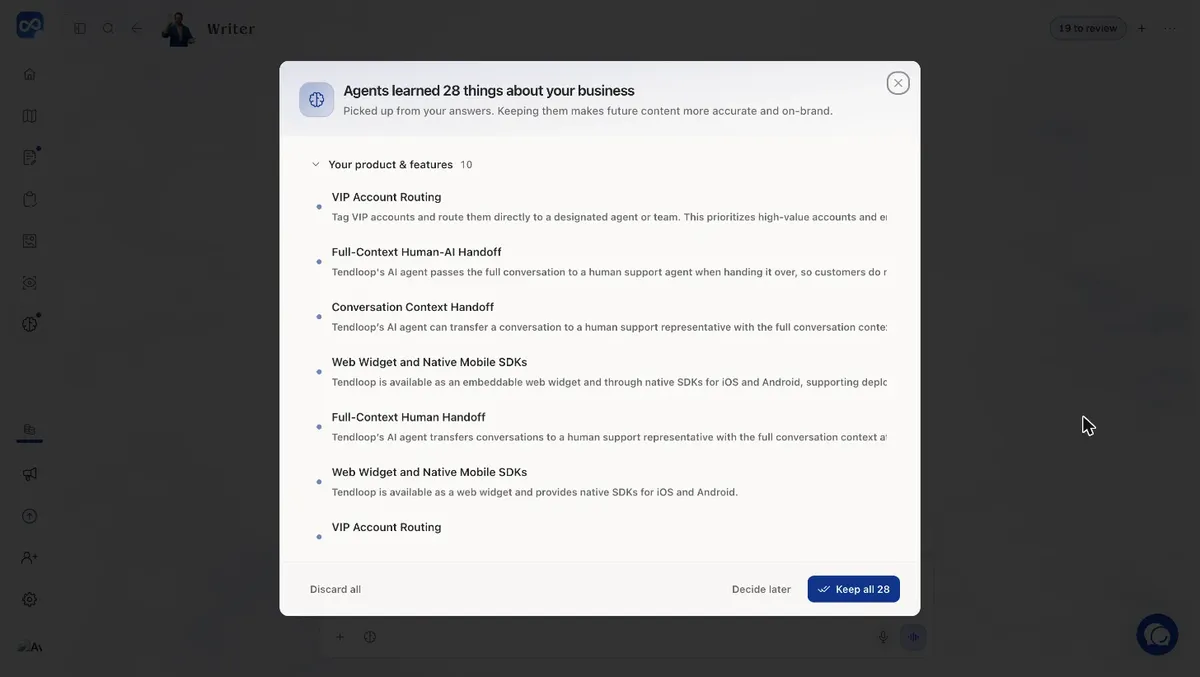
What you teach the agents builds up the same way. Interview answers and corrections come back as saved knowledge you keep or discard, and later articles and updates start from it.
You don't have to rebuild prompts and workflows in a custom Claude or ChatGPT setup every time your product or the answers change.
If your team keeps finding gaps that nobody has time to close, start with your own site. When you start your 7-day free trial, RankUp reads your site and proposes a plan for it first, and the trial gives you enough in-app balance to try the work that plan lists.
(For English B2B SaaS sites only.)

Author of the article
Georg Richard Aare
Georg is a B2B SaaS SEO specialist, an international keynote speaker on AI search and the co-founder of RankUp.
This article was created using: