For SaaS and tech companies with English sites.
:quality(80))
SEO Content Automation: How to Automate Without Scaling AI Slop
:quality(80)) Georg Richard Aare
Georg Richard Aare For SaaS and tech companies with English sites.
When competitors keep appearing in Google and AI answers, the obvious response is to publish more. But if research, briefing, writing, review, and reporting stay manual, more content just creates more work.
SEO content automation handles the repeatable parts while you keep control of strategy, expertise, and publication. The real question is which tasks can run safely and where a person still needs to make the call.
This guide breaks down four levels of automation, what to automate first, and what should stay human-led. You’ll learn how to build, evaluate, and measure a workflow that scales output without scaling weak content.
What does SEO content automation include?
SEO content automation uses software and AI to complete repeatable work across the content lifecycle. It is broader than AI drafting and does not require fully autonomous publishing.
Research and planning: Turn search opportunities, buyer questions, and content gaps into a prioritized plan.
Creation: Build structured briefs and review-ready drafts from approved inputs.
Optimization: Improve coverage, structure, and contextual internal links.
Operations: Support approved publishing, performance monitoring, and refresh queues.
For example, a SaaS comparison opportunity can become a sourced brief, a reviewed draft, and a monitored page without rebuilding the context at every stage.
This also differs from programmatic SEO. Content automation can support individual editorial pages, while programmatic SEO creates larger page sets from structured data and templates.
What are the four levels of automation?
If you are exploring conditional autonomy across other departments, the SaaS AI agents comparison ranks tools by their ability to run multi-step workflows.
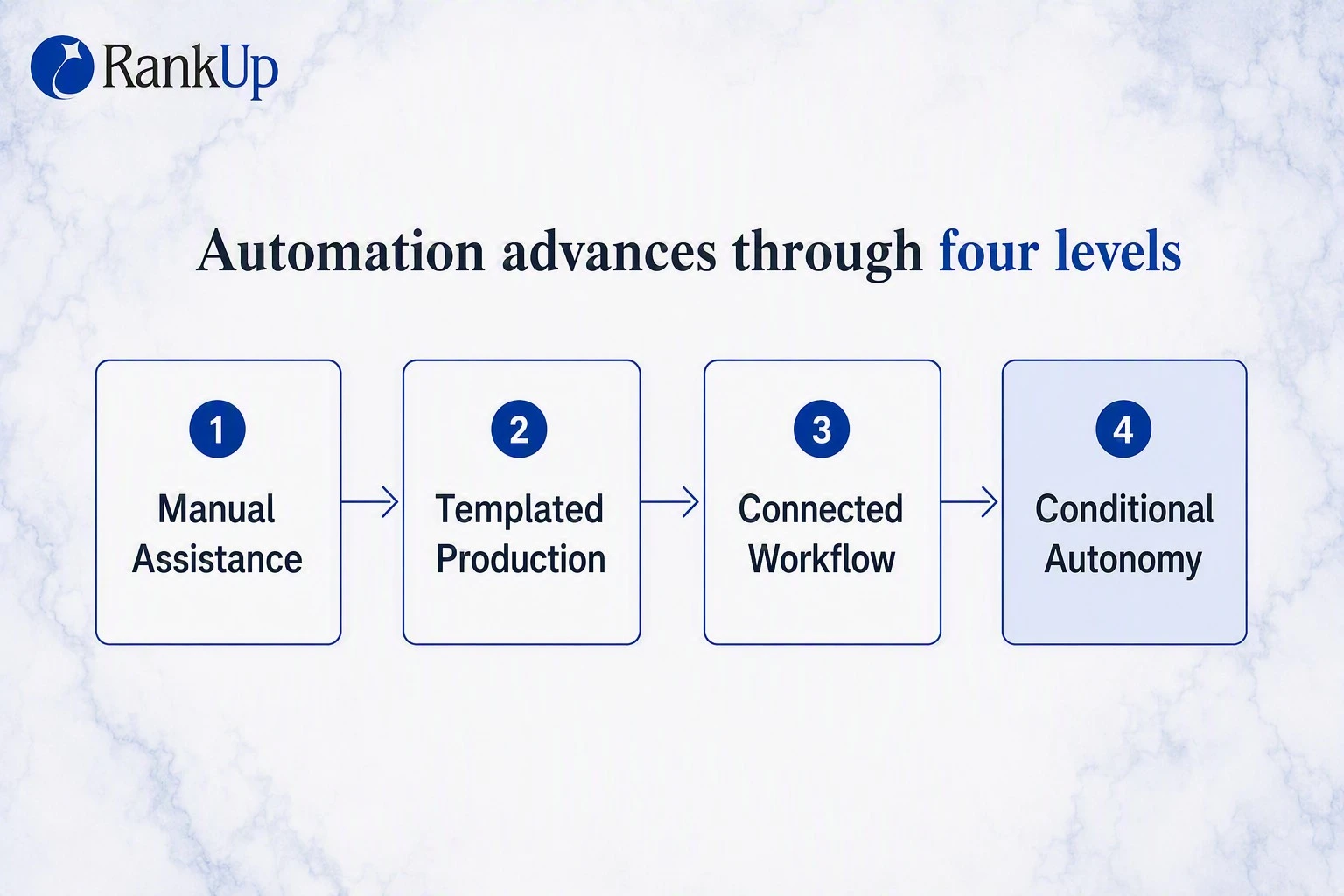
1. Manual assistance
Manual assistance speeds up one task. You still transfer outputs, provide context, check accuracy, and decide what moves forward.
The tool drafts, summarizes, or suggests changes; the human directs, verifies, edits, and publishes. Without that review, errors can reach published pages.
2. Templated production
Templated production fits repeated page types built from an approved structure and structured inputs.
The human defines required sections, source fields, formatting, and review rules. The system inserts page-specific data, then a human verifies accuracy, usefulness, and enough distinction between pages.
The unique SEO content guide explains how to scale this production without creating near-duplicate pages.
3. Connected workflow with approvals
A connected workflow moves approved work between stages while people retain control at defined checkpoints.
Research moves into a brief, then drafting, optimization, and final publishing. People confirm scope and evidence, review claims and structure, resolve flagged issues, and sign off before release.
The main risk is a vague checkpoint that becomes a routine click. This level fits repeatable work with stable roles and clear acceptance criteria.
4. Conditional autonomy
Conditional autonomy keeps work moving while required sources, brand knowledge, and approved rules remain available. It pauses on exceptions and always stops for final publication approval.
Continue when:
Search intent matches the approved content goal.
Required brand and product context is available.
Product sources agree, and factual claims are supported.
The next action follows an approved rule.
Pause when:
Proprietary knowledge is missing.
A claim conflicts with an approved source.
Research reveals different intent from the brief.
The draft introduces generic advice or an unsupported competitor claim.
The final draft is ready for publication approval.
What should you automate first?
Start with research and planning because their inputs stay inspectable and mistakes are cheaper to correct before drafting. A stronger brief then gives writers the audience, evidence, scope, and product context upfront, reducing rework.
Automating a task first does not mean automating it fully. Approval still belongs at the points where strategy, proprietary knowledge, or factual judgment matters.
Research and planning
RankUp turns research into a content plan built around the questions SaaS buyers ask before choosing a product. Magnus handles the keyword research and planning behind it.
The plan surfaces category, comparison, and use-case opportunities, then groups related terms into focused clusters. For each query, it identifies relevant competitors and recommends the next article with a reason to prioritize it.
You still decide whether the opportunity serves the right audience, supports the product, and deserves attention now.
Briefs and drafts
A thin prompt names the task. A Content Blueprint carries approved research, audience context, evidence, section order, and writing direction into the draft.
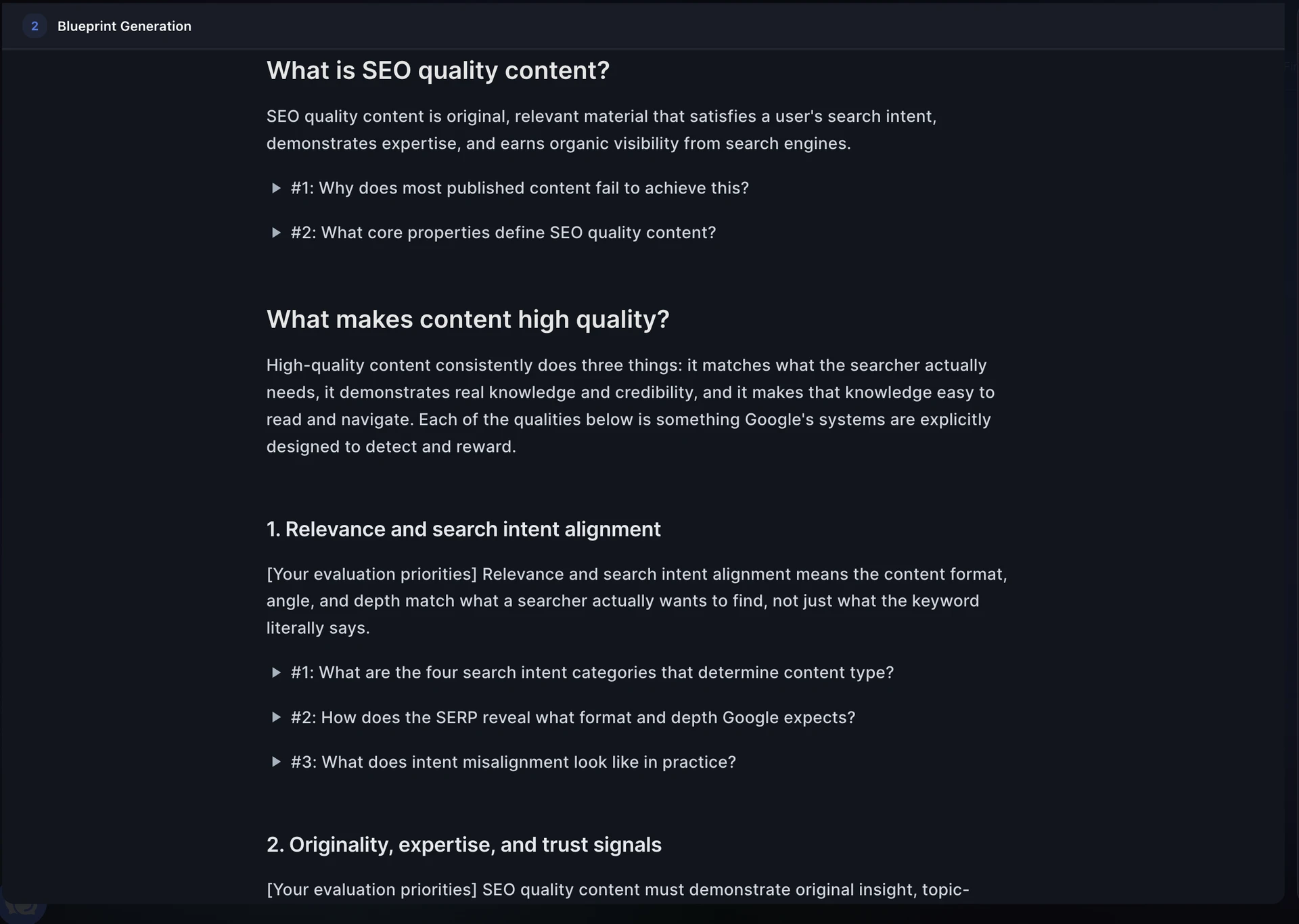
Cedric owns the writing flow:
Outline: Organizes the topic around reader intent and required coverage.
Content Blueprint: Adds section-level research, evidence, and instructions.
Draft: Turns the blueprint into complete copy in the editor.
RankUp agentic content editing demo
If proprietary expertise would improve a section, the workflow pauses for a focused question. Otherwise, Cedric continues with the approved product facts, style rules, and prior decisions already loaded.
If you want to see this research-to-draft process work with your own context, start your 7-day free trial. The agents build your initial knowledge base and strategy, then create and publish one article, with no subscription or commitment. The trial is only available to SaaS and technology companies with English-language websites.
Optimization and linking
Automated checks identify objective gaps once a draft is coherent. Lyra manages update and internal-link work, Cedric writes substantive revisions, and you decide which changes improve the page.
Check blueprint alignment: Confirm the draft follows the approved topic, structure, and evidence.
Propose precise fixes: Turn gaps into edits that you can accept, reject, or refine.
Map link opportunities: Find relevant existing pages and potential links back to the new page.
Keep contextual links: Choose links by genuine topical fit, not keyword overlap or a quota.
The result is a review-ready draft whose strategy, claims, and links remain easy to inspect.
Publishing, reporting, and refreshes
Publishing starts a continuous improvement loop. Search performance, AI Overview presence, and reader behaviour evidence should determine which URL gets protected, refreshed, consolidated, or connected to a stronger conversion path.
RankUp's performance reports use Google Search Console clicks, impressions, and position movement to explain page changes. Pair that data with product analytics or CRM data when judging pipeline.
:quality(80) "RankUp Performance Analysis dashboard showing Search Console clicks impressions and ranking movement")
Lyra prioritizes pages and defines the required changes. When substantive writing is needed, she routes page-specific work to Cedric for review.
Launch: Confirm the page is live and indexable, then record its baseline.
Measure: Review search movement and buyer-intent queries.
Prioritize: Choose the page that deserves action.
Update: Turn the decision into reviewable edits.
What should stay human-led?
Keep decisions that require context, judgment, and accountability human-led. First-hand expertise must enter during planning and drafting, not only during final review.
Subject matter experts supply proprietary evidence and judgment. Editors protect accuracy, usefulness, voice, and publication standards.
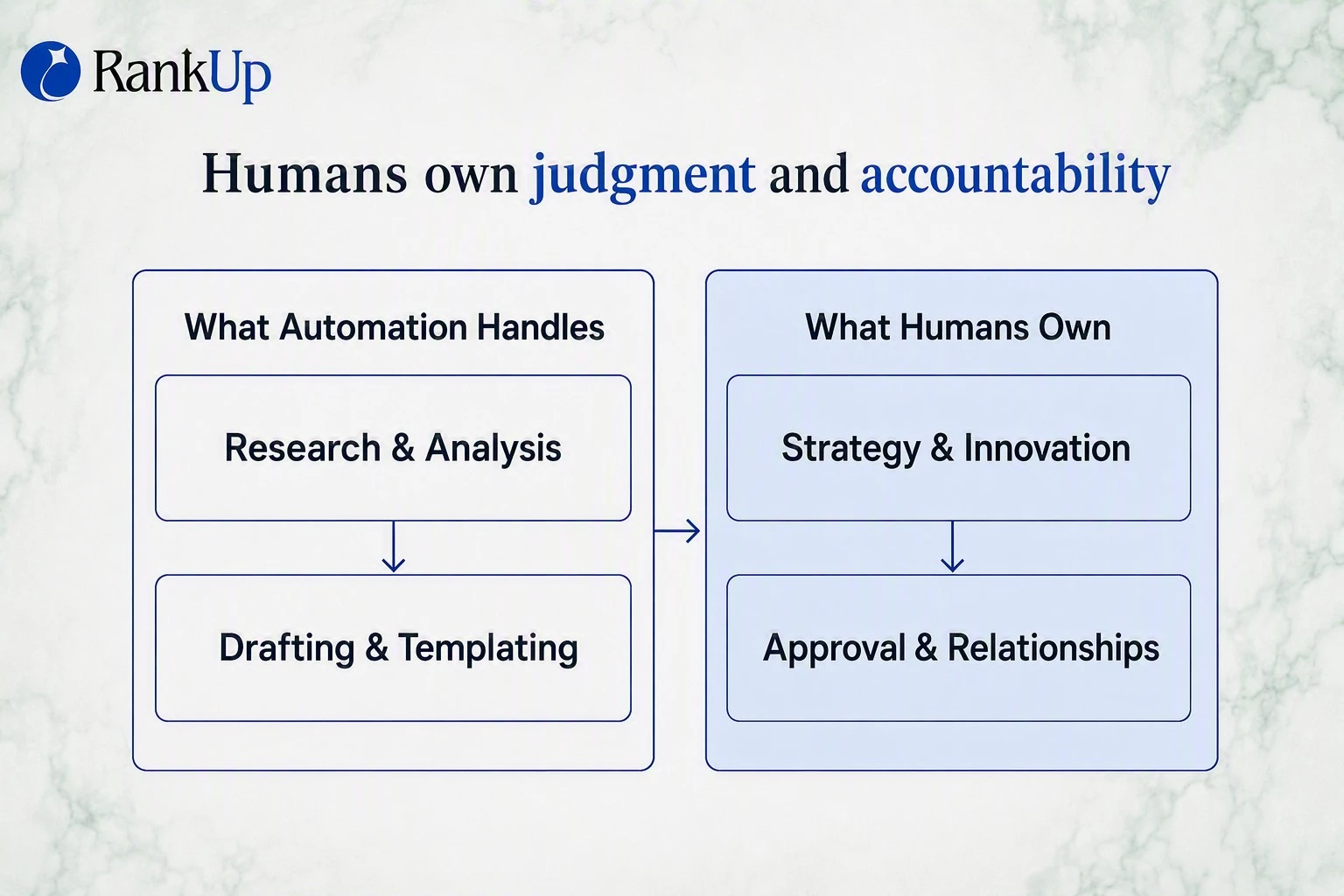
Strategy: Choose the audience, business goal, topic cluster, and angle because keyword demand alone cannot tell you what supports the product.
Final approval: Accept responsibility for business value, brand fit, and publication because the approver owns the consequences.
Proprietary insight: Add customer evidence and internal experience that demonstrate first-hand knowledge, because automation cannot recover knowledge your company has never documented.
Factual judgment: Verify page claims and structured data against source material before publishing. Fluent writing can still be inaccurate or misleading.
Brand voice: Decide how the company sounds and which positions it will defend because a style guide cannot resolve every editorial choice.
In RankUp, the writing flow pauses when a product claim, customer example, or internal process is missing. You supply the expertise, then keep final control over claims, voice, and publication.
How do you build a safe workflow?
Build the workflow around approved inputs, explicit pause conditions, and one accountable publisher. The table shows where automation should stop and what the human checkpoint must decide.
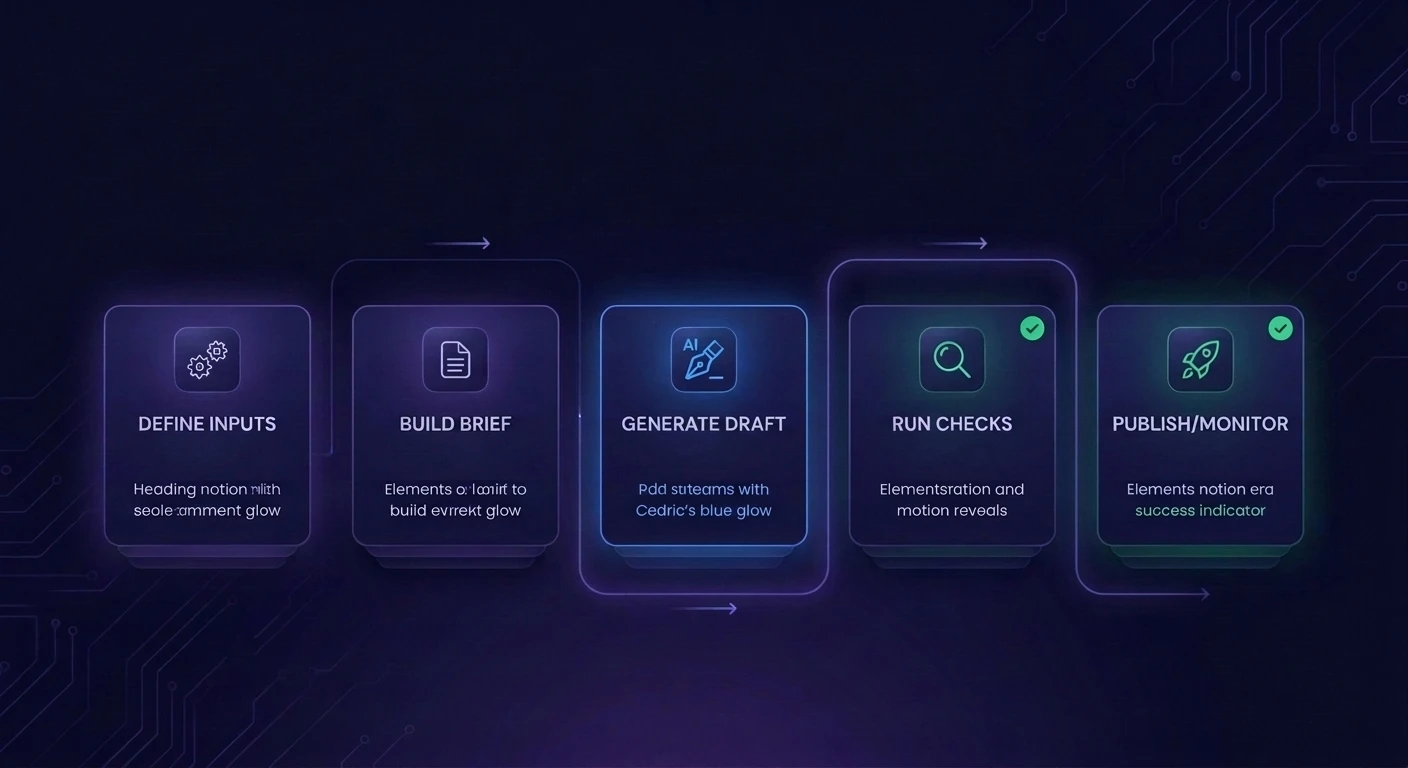
1. Pick one repeatable content type
Start with one repeatable SaaS content type. A narrow pilot exposes weak inputs and risky review rules before the workflow reaches more pages.
Choose a format you expect to produce often, with reusable fields and complete, approved facts. Keep human review closest for recommendation, comparison, and exception-heavy pages.
Integration pages, feature pages, educational articles, and comparison pages can all work when their inputs are reliable.
2. Define approved inputs and sources
Treat access as separate from publication permission. A responsible owner must confirm which internal facts are approved for public use before a document enters the workflow.
Use this source policy:
Named ownership: Assign an accountable owner to every internal source.
Closest-to-claim evidence: Prefer official product documentation and original research.
Freshness: Review volatile pricing, feature, and policy claims more often.
Disclosure boundaries: Block private messages, CRM notes, and roadmaps unless their facts are approved.
Structured records: Store each claim with its source, owner, review date, and status.
3. Build a brief template
Build the brief before writing begins. Lock the target query, supporting terms, search intent, and SaaS audience so the draft starts in the right direction.
Then define the angle, outline, required coverage, approved evidence, and claims needing verification. Add brand voice guidance and prohibited positions before generation, not during final review.
Cedric turns this approved outline into a Content Blueprint. For a comparison section, the blueprint can require official documentation and prohibit an unsupported feature claim.
4. Generate in draft mode
RankUp generates the first draft from the approved Content Blueprint and keeps it in the editor for review. Cedric writes with live SERP research and knowledge-base context loaded.
The draft combines ranking-page coverage and gaps with the approved angle, audience, outline, and evidence. Style guides, product facts, and prior interview answers keep it grounded in the brand.
If proprietary knowledge is missing, the workflow pauses for a focused question. During review, a small set of copy variants lets the team compare approaches before choosing one.
5. Run automated checks
Run automated checks before human review. Missing sections go back to Cedric; unsupported claims need an approved source or removal.
Intent drift sends the work back to the blueprint, while brand mismatches trigger a style-guide revision. Fixing direction first prevents repeated rewrites of the same mistake.
Relevant internal-link opportunities can be surfaced for review. When metadata is an approved requirement, missing fields should be flagged before the draft advances.
6. Route to human review
Every draft still needs final human approval. The subject matter expert owns proprietary knowledge, while the editor owns editorial quality and publication standards.
Approve only when:
The facts and examples are accurate.
The company's real expertise is present.
The voice sounds like the brand.
The page deserves publication under the company's name.
7. Publish, monitor, and queue refreshes
Publish only after approval status is explicit. If your CMS connection is configured, RankUp's CMS integrations can move the accepted draft forward without another copy-and-paste handoff.
For a new automated page type, release an initial group first. Check accessibility, indexability, and query alignment before expanding the rollout.
Publish: Schedule only the approved version.
Monitor launch: Confirm the page is accessible and indexable.
Queue later refreshes: Use sustained decline and freshness signals after a baseline exists.
What quality gates prevent bad content from scaling?
Use three approval gates: before drafting, after drafting, and before publishing. Each gate has a clear stop condition, so speed never overrides evidence, brand fit, or release readiness.
Post-publish monitoring is the feedback loop, not a fourth approval gate. A routine SEO content audit returns indexing, performance, and freshness problems to the workflow.
Gate | Ready when | Accountable owner |
|---|---|---|
Before drafting | Intent, sources, outline, angle are clear | Cedric and brief owner |
After drafting | Facts, brand, structure, links pass review | Automated checks and editor |
Before publishing | Page package, CMS, approval are complete | Named reviewer |
Before drafting
Drafting pauses until the team confirms search intent, approved evidence, SEO content outline coverage, and a proprietary angle grounded in product, customer, or process knowledge.
Cedric owns the outline and Content Blueprint. Focused questions fill material gaps before drafting starts, rather than forcing an editor to reconstruct the article later.
After drafting
RankUp checks the article against its blueprint, writing rules, style guide, reference article, and relevant site content. Human judgment then decides whether the draft is trustworthy and useful.
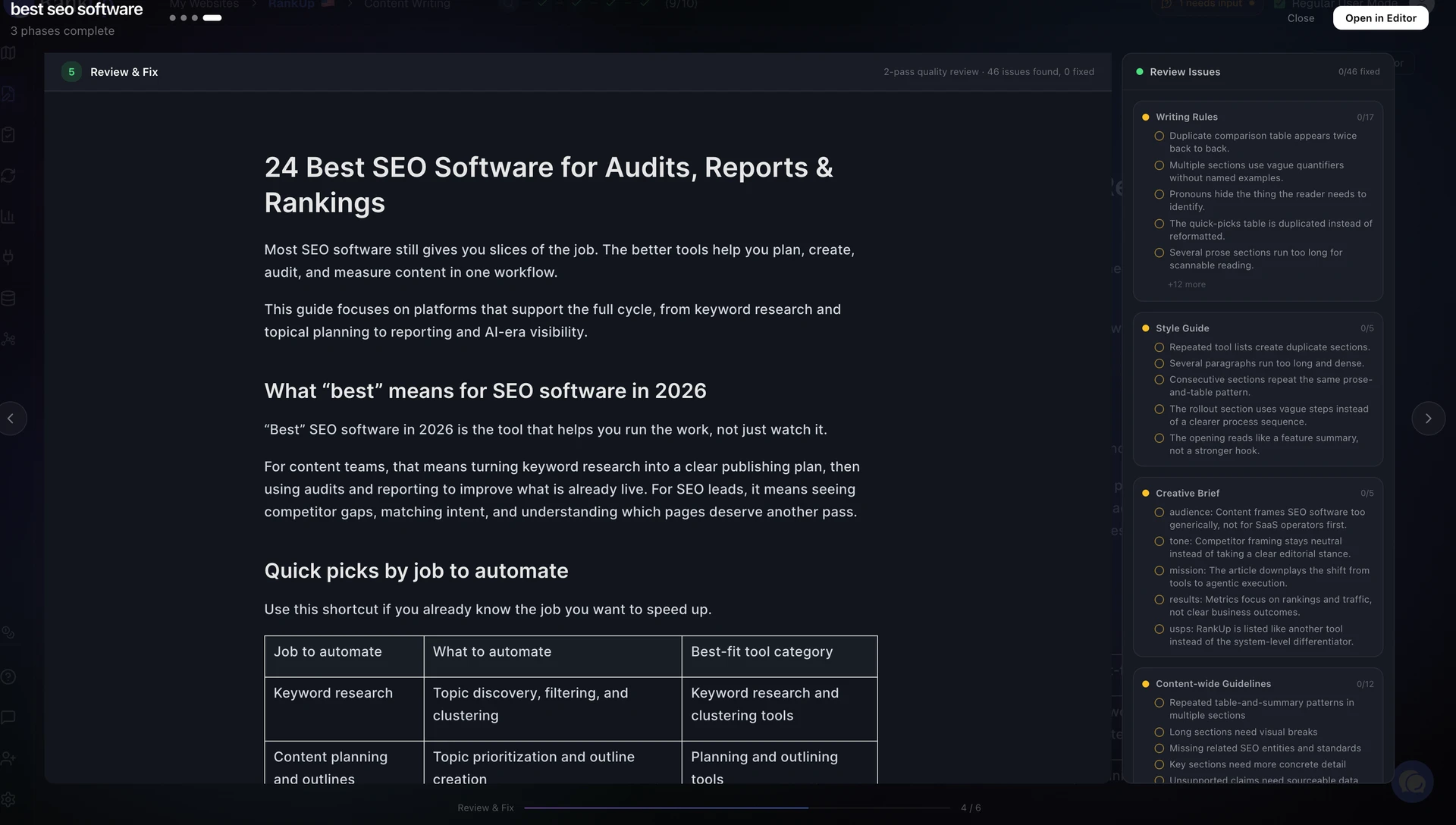
Before handoff, review the points where automation creates the most risk:
Evidence: Verify every material fact and example against an approved source.
Editorial quality: Fix brand, readability, and structure problems that automated checks surface.
Topical fit: Keep internal-link suggestions only when the destination genuinely helps the reader.
Original value: Confirm the article adds insight beyond a generic summary.
Before publishing
Page completeness: Confirm the title, headings, metadata, links, images, formatting, canonical settings, and CMS status are ready.
Claim integrity: Recheck product claims, examples, and statistics against approved sources, then confirm the finished page still matches search intent and brand voice.
Release control: A named reviewer records final approval. Without that approval, the page stays in draft mode.
After publishing
Post-publish monitoring shows whether the safeguards worked in practice and identifies pages that need another pass.
Use Google Search Console's URL Inspection tool to confirm accessibility and indexability. Record the launch date and baseline so later changes have context.
Monitor sustained changes in:
Clicks, impressions, queries, and position
Alignment with buyer-intent queries
Factual freshness
Overlap with other pages
Contribution to qualified pipeline
Use Google Search Console's performance report for search data. Pair it with product analytics or CRM data when judging pipeline.
How do you measure if it’s working?
Measure whether automation helps the right SaaS buyers discover your product through Google and AI search and start qualified conversations, while reducing the effort required to publish.
Compare every KPI with the baseline from before automation. Separate page outcomes from workflow quality so faster production cannot hide weaker content.
Use product analytics or CRM data to connect organic landing pages with commercial actions. If visits rise without product actions, improve the conversion path instead of chasing more traffic.
KPI group | Reporting should show | Next action |
|---|---|---|
Buyer visibility | Category, comparison, alternatives visibility | Expand gaps or defend winners |
Qualified pipeline | Organic actions, conversations, sourced pipeline | Strengthen weak conversion paths |
Content performance | Qualified winners, declines, wrong audiences | Protect, update, or consolidate |
Production efficiency | Hands-on time and cost per asset | Remove slow handoffs and rework |
Automation quality | Rewrites, claims, returns, review time | Tighten inputs, rules, or review |
How should you choose your automation stack?
Choose a stack that carries approved inputs through creation, review, reporting, and updates without removing human control.
Before comparing products, trace the workflow from topic selection through post-publish refreshes. This exposes where your team would need to rebuild prompts, export data, approve claims, or correct mistakes.
Disconnected tools create more handoffs and maintenance. Connected or managed systems reduce that burden, but they still need clear source rules, pause conditions, and final approval steps.
Tool categories that matter
A practical SEO content automation stack needs four capabilities:
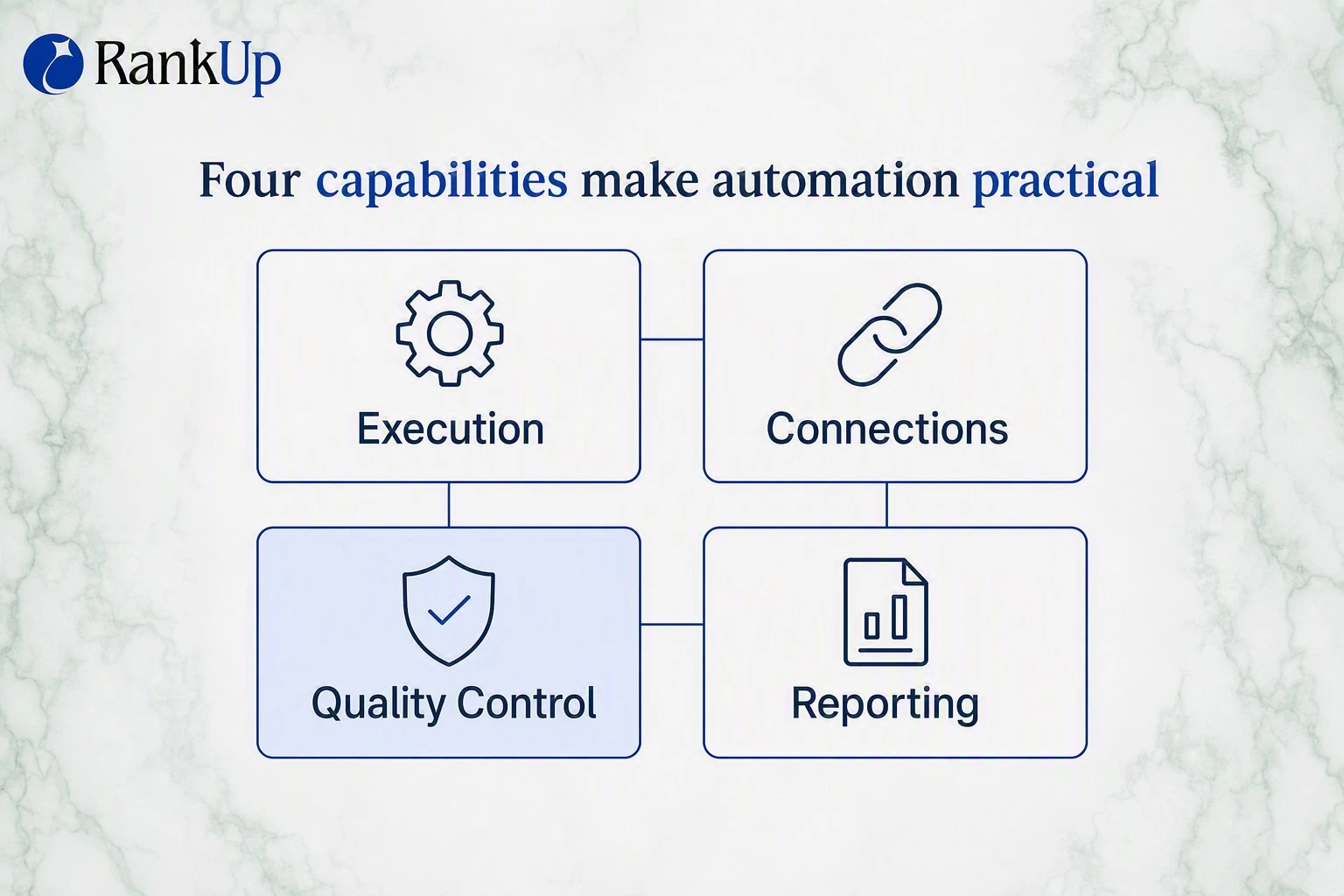
Execution: Research, briefs, drafting, optimization, and updates.
Connections: Data transfer between approved sources, the CMS, and reporting systems.
Quality control: Source rules, automated checks, approvals, and exception routing.
Reporting: Search performance analysis and refresh prioritization.
You can assemble these capabilities across several tools or choose a system that keeps the workflow and context together.
What to evaluate before you buy
Trace each handoff from topic selection to post-publish updates, then compare the real work each option leaves with your team.
Use these criteria to compare specialist tools, connected stacks, and managed systems:
Criterion | What to check | Why it matters |
|---|---|---|
Workflow coverage | Research through refreshes | Fewer tools and handoffs |
Source transparency | Claims trace to approved inputs | Faster review and correction |
Integration fit | CMS, Search Console, content records | Context moves without exports |
Review controls | Approvals, pauses, final sign-off | Humans retain publication control |
Operating burden | Maintenance, prompts, exception handling | Hidden work stays visible |
Total cost | Seats, add-ons, review, corrections | Purchase price is incomplete |
To see how different platforms handle these handoffs, the AI SEO writers comparison scores ten tools on their end-to-end lifecycle coverage.
What if you want the workflow without managing the workflow?
As general guidance, a managed workflow fits when you want to approve outcomes without maintaining the underlying system. A self-managed workflow fits when your team wants full control and can handle daily operations.
Model | Setup | Approvals | Maintenance | Reporting |
|---|---|---|---|---|
Managed workflow | Provider configures and monitors connections | You review; provider routes work | Provider maintains and troubleshoots workflow | Provider turns results into actions |
Self-managed workflow | Your team configures and monitors connections | Your team routes and reviews work | Your team maintains and troubleshoots stack | Your team assigns follow-up actions |
Choose based on who will monitor failures, maintain connections, and turn reports into follow-up work.
How RankUp keeps context moving from research to refreshes
Most SEO tools stop at one stage, leaving you to rebuild product facts, sources, and brand rules in the next. RankUp keeps approved context in one shared knowledge base across planning, writing, updates, and reporting.
:quality(80) "RankUp Knowledge Base interface showing uploaded brand context, documents, entities, and semantic clusters")
Meet the agents that carry your SEO context forward. Magnus turns keyword research into a prioritized content plan, while Cedric builds the outline, Content Blueprint, focused interview, and final draft.
Lyra manages audits, updates, internal linking, site-wide changes, and reporting, then routes writing tasks to Cedric.
Because all three agents use the same knowledge base, approved product facts and prior interview answers remain available between sessions. The next related brief starts with context already loaded, not a blank prompt.
Search Console reporting shows which pages are improving, declining, or stalled. Lyra turns that evidence into the next reviewable update, while you retain final control over claims and publication.
If you want to try this workflow on your site, start your 7-day free trial. The 7-day free trial includes a site-built brand voice, knowledge base, topical map.
Use it to write and refine an article, then put the remaining credits toward strategy or improving existing content.
FAQ
Can SEO be fully automated?
No. Content automation systems can prepare research, briefs, drafts, checks, and recommendations, but people should retain strategy, proprietary insight, factual judgment, and final approval.
Fully autonomous publishing can scale wrong intent and unsupported claims before anyone notices. Safer systems use approved inputs, exception routing, and a final publication gate.
Is AI-generated SEO content risky?
Yes, when teams publish unoriginal, unsupported, or search-manipulative content without review. AI can also introduce factual and brand errors even when scaled spam is not the goal.
Google's AI-content guidance focuses on usefulness, while its spam policies target scaled content created primarily to manipulate rankings.
Are free SEO automation tools enough?
Free tools are useful for isolated jobs, not a connected content lifecycle. Google Search Console reports clicks, impressions, queries, position, and indexing information, but it does not build your strategy, blueprint, draft, or approval flow.
RankUp connects planning, writing, updates, and Search Console reporting. RankUp's knowledge base carries product facts, style rules, and prior interview answers between those stages.
What technical SEO can you automate?
Dedicated technical SEO tools can automate crawling and checks for broken links, redirects, canonicals, sitemaps, robots directives, structured data, and indexability.
They can group affected URLs and suggest likely causes, but a technical owner should confirm the root cause before changing templates or indexing rules. RankUp focuses on SEO and GEO content execution.
How do you prevent automated content from becoming AI slop?
Use approved sources, structured briefs, pre-draft and post-draft quality gates, and a named reviewer. Pause automation whenever evidence, proprietary insight, search intent, or brand context is missing.
Does SEO content automation replace editors?
No. Subject matter experts still supply proprietary knowledge, while editors protect factual accuracy, usefulness, voice, and final approval. Automation handles repeatable research, production, checking, and monitoring tasks.
:quality(80))
Author of the article
Georg Richard Aare
Georg is the co-founder of RankUp and an SEO nerd who spends (almost) every waking minute refining his craft and sharing his learnings. When he’s not behind his computer, which is rare, you’ll find him in the gym doing bench (never legs) to clear his mind.
This article was created using: